Project

Venture

Sector Commercial / Import
Client Importer — Confidential
Location Bolivia
Year 2025
Role Private System
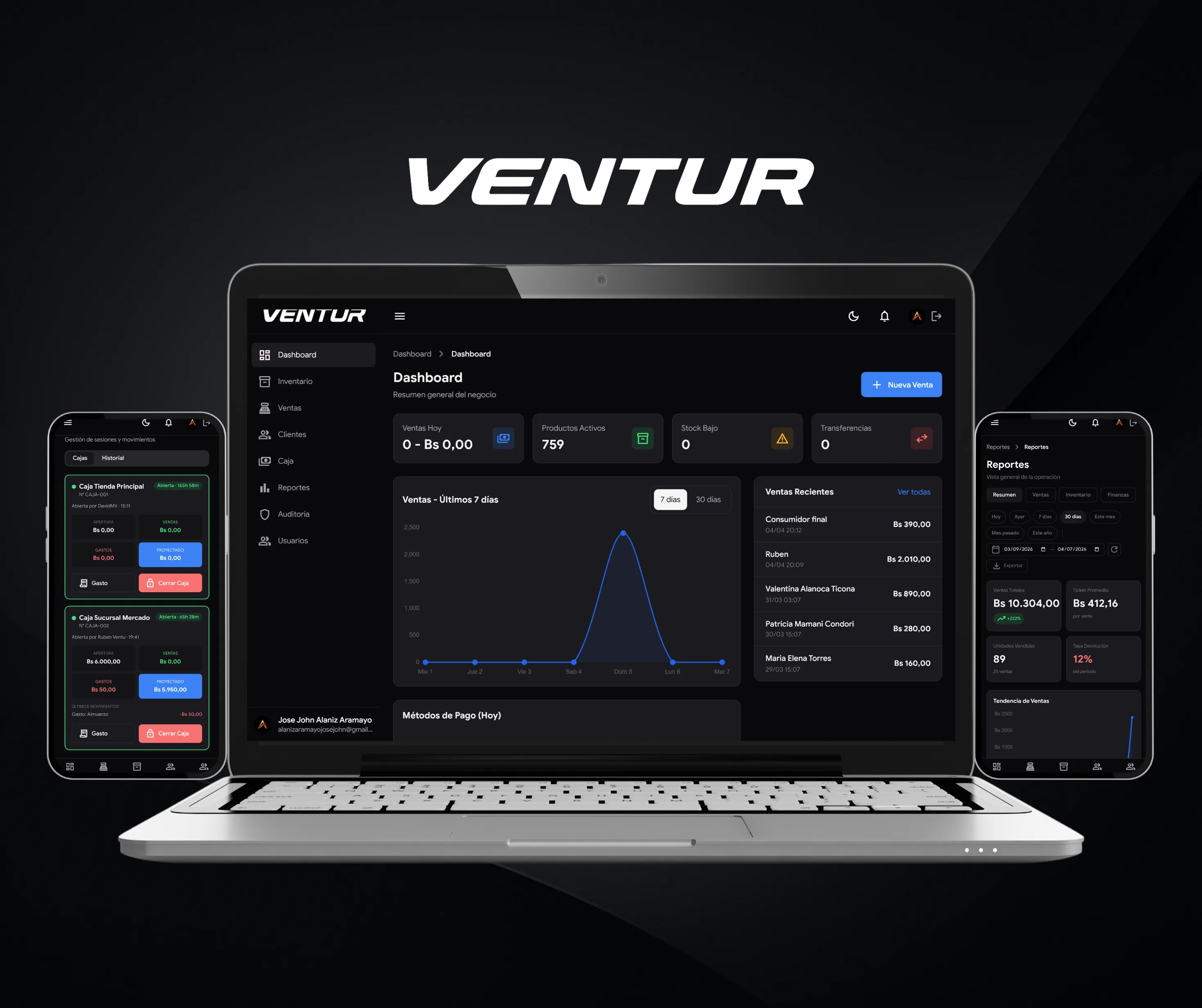
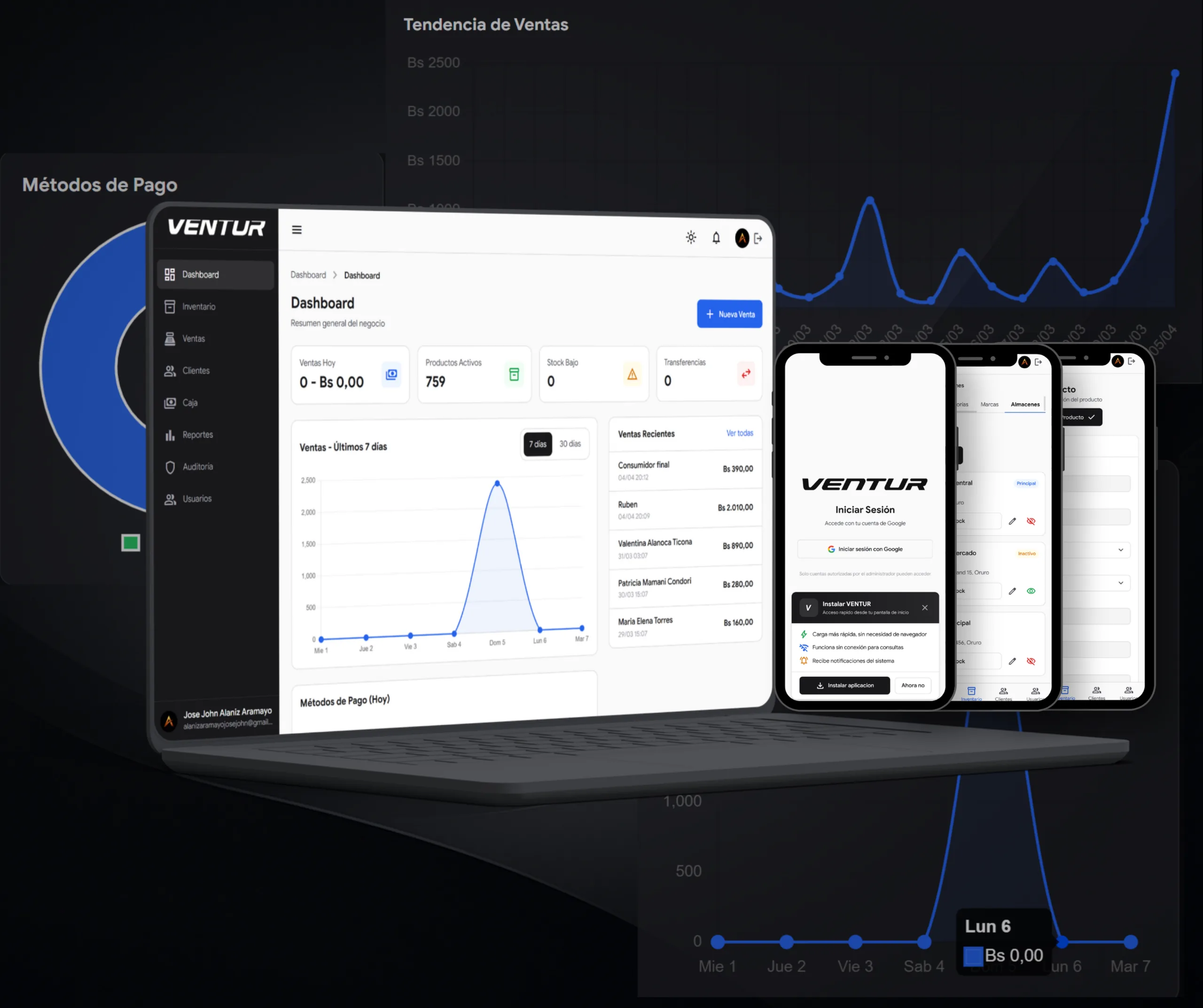
venture-hero — Main view of the Venture ERP in dark mode

Client and Idea

A complete business ecosystem for importers who operate seriously

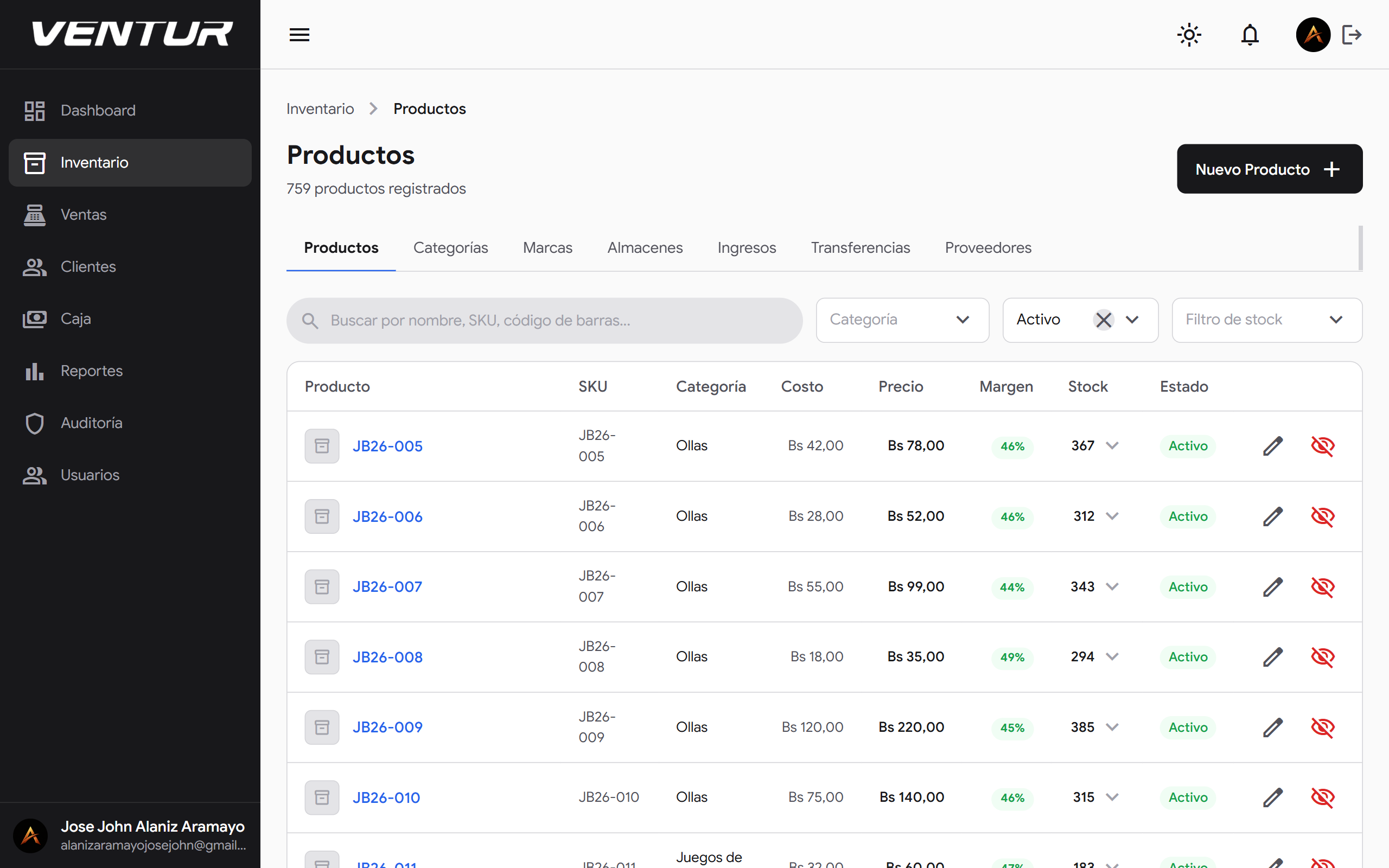
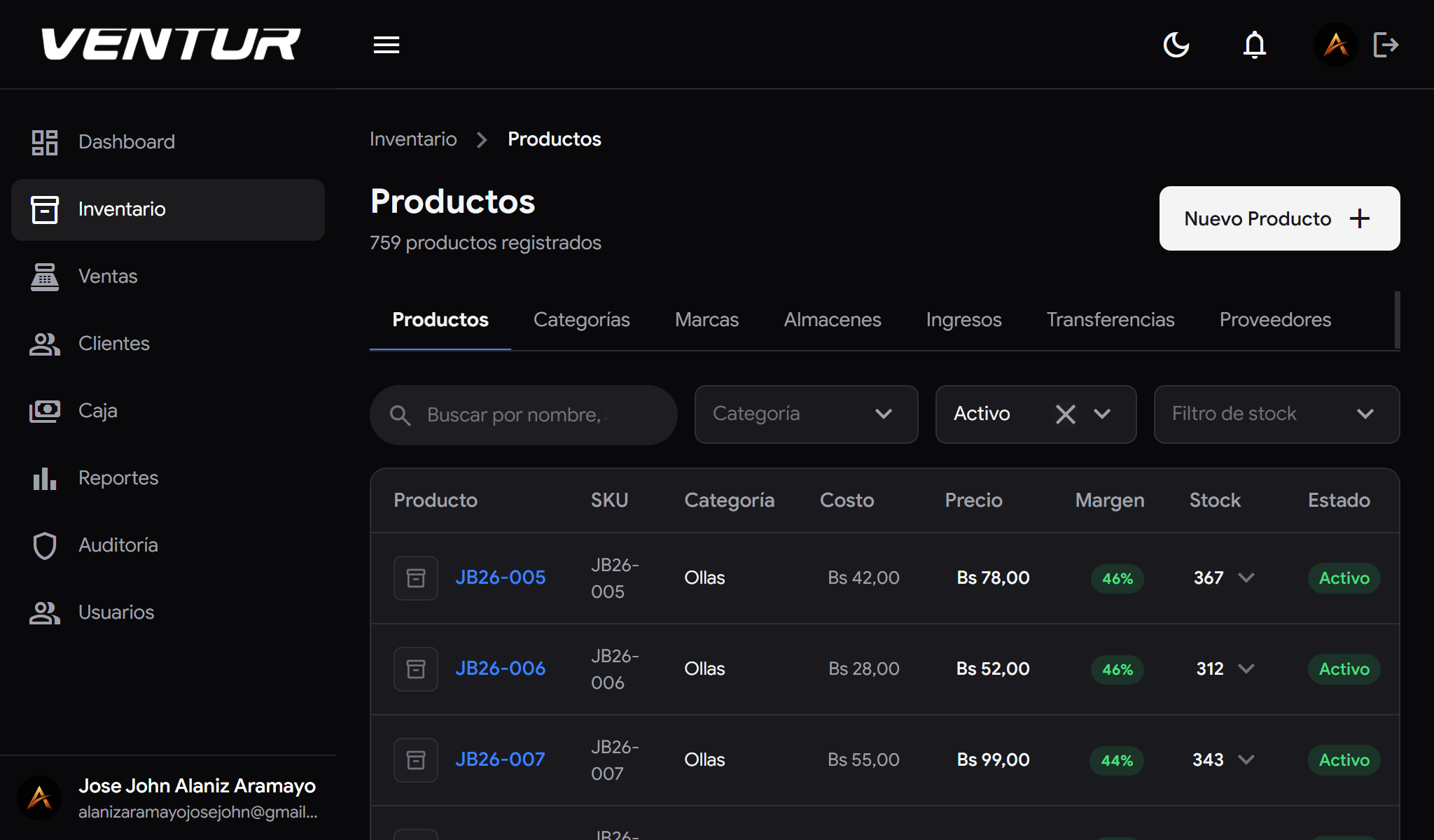
venture-laptop-productos-black — Product list in dark mode
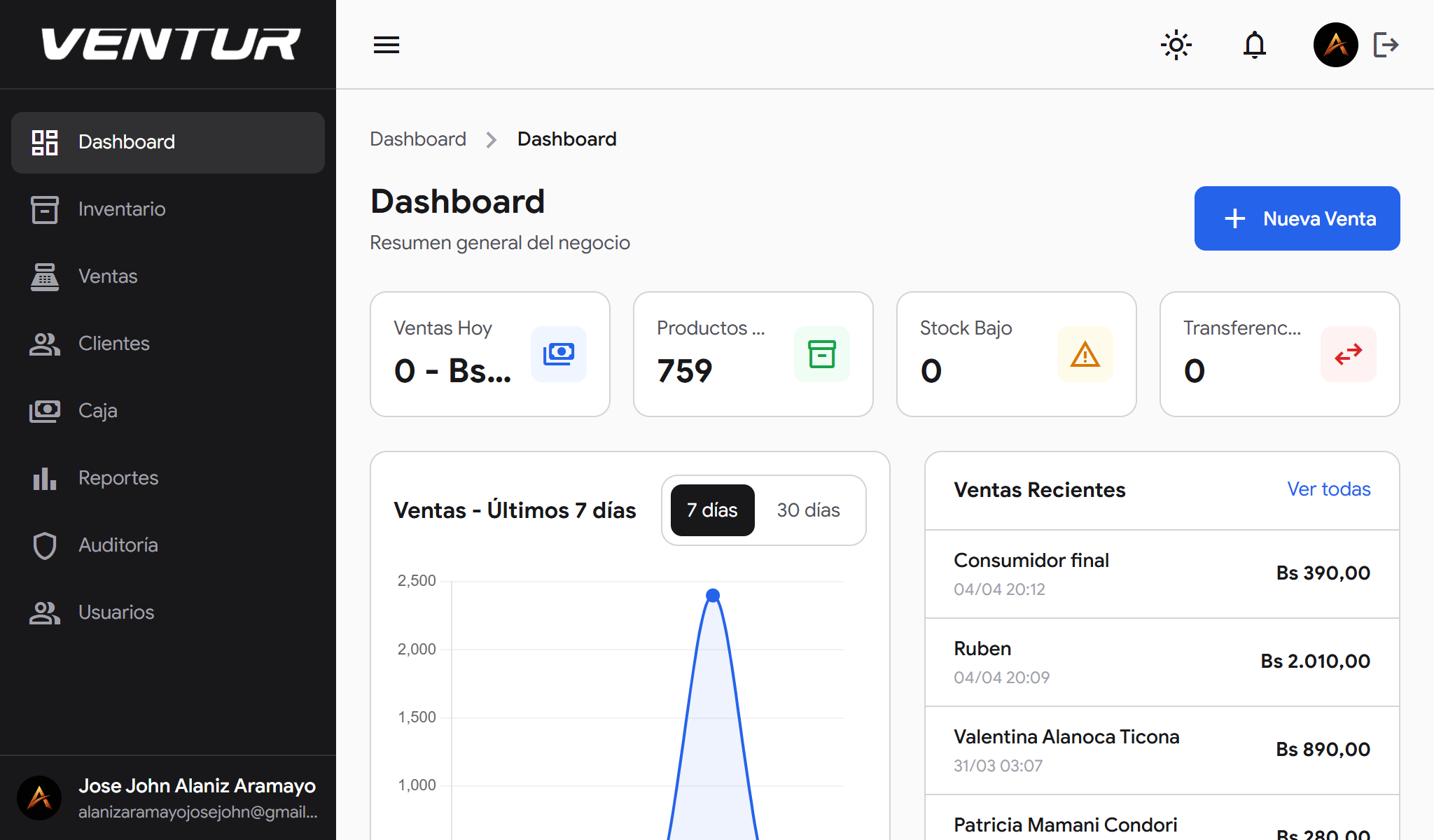
venture-laptop-dashboard-white — Main dashboard in light mode

Bolivian importers operate with a complexity most systems do not understand: stock across multiple warehouses, DIM import declarations, quotation flows that turn into sales, and teams with different access levels. Venture was built to solve that — a modular ERP designed from scratch for the real pace of an importing and distribution business, with the visual clarity of a modern SaaS product.

The Challenge

Running an importer on disconnected tools — Excel for inventory, WhatsApp for quotes and a manual till for sales — produces errors, losses and decisions made blind. The challenge was a unified system any team member could use according to their role, seeing no more than they need without losing operational power.

What We Built

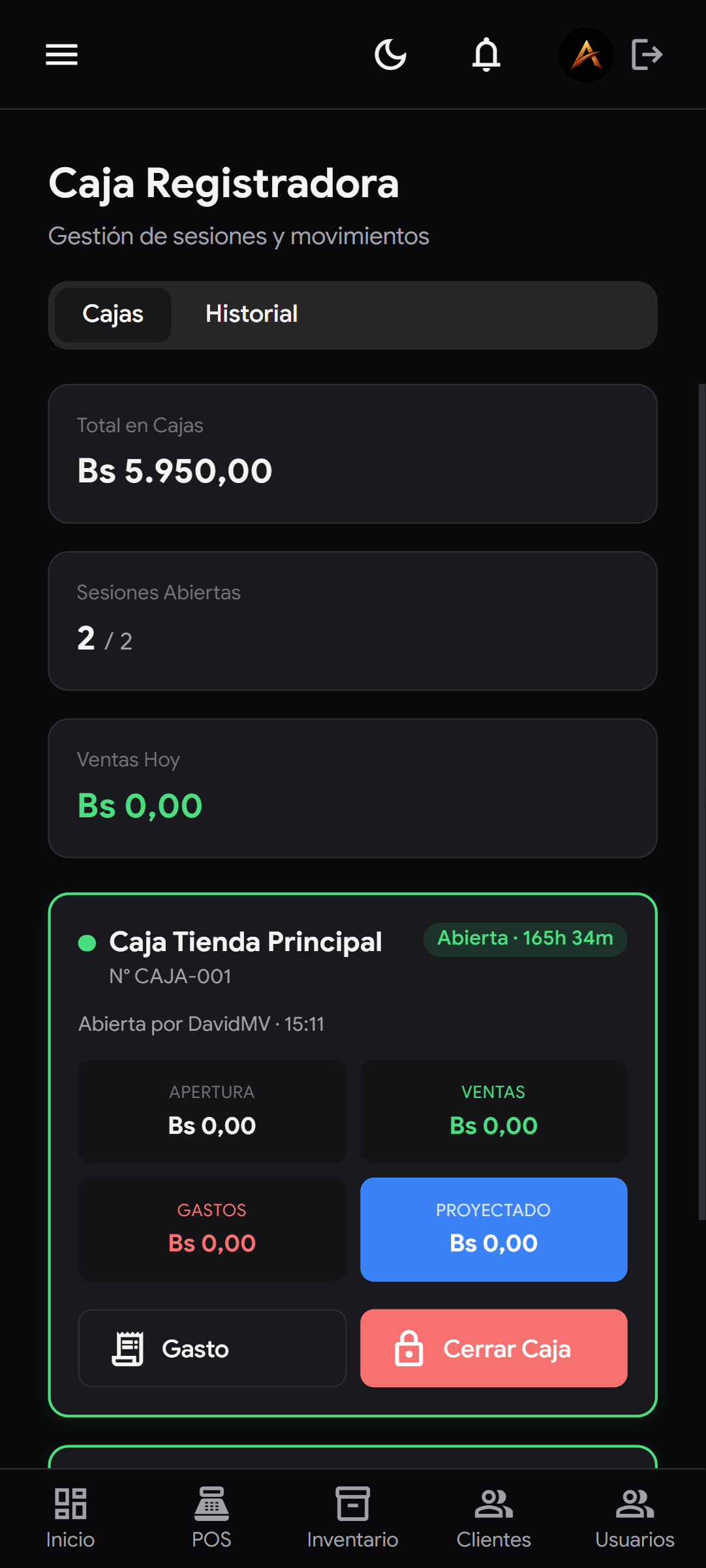
  • A full POS with payment methods (QR, cash) and sale statuses
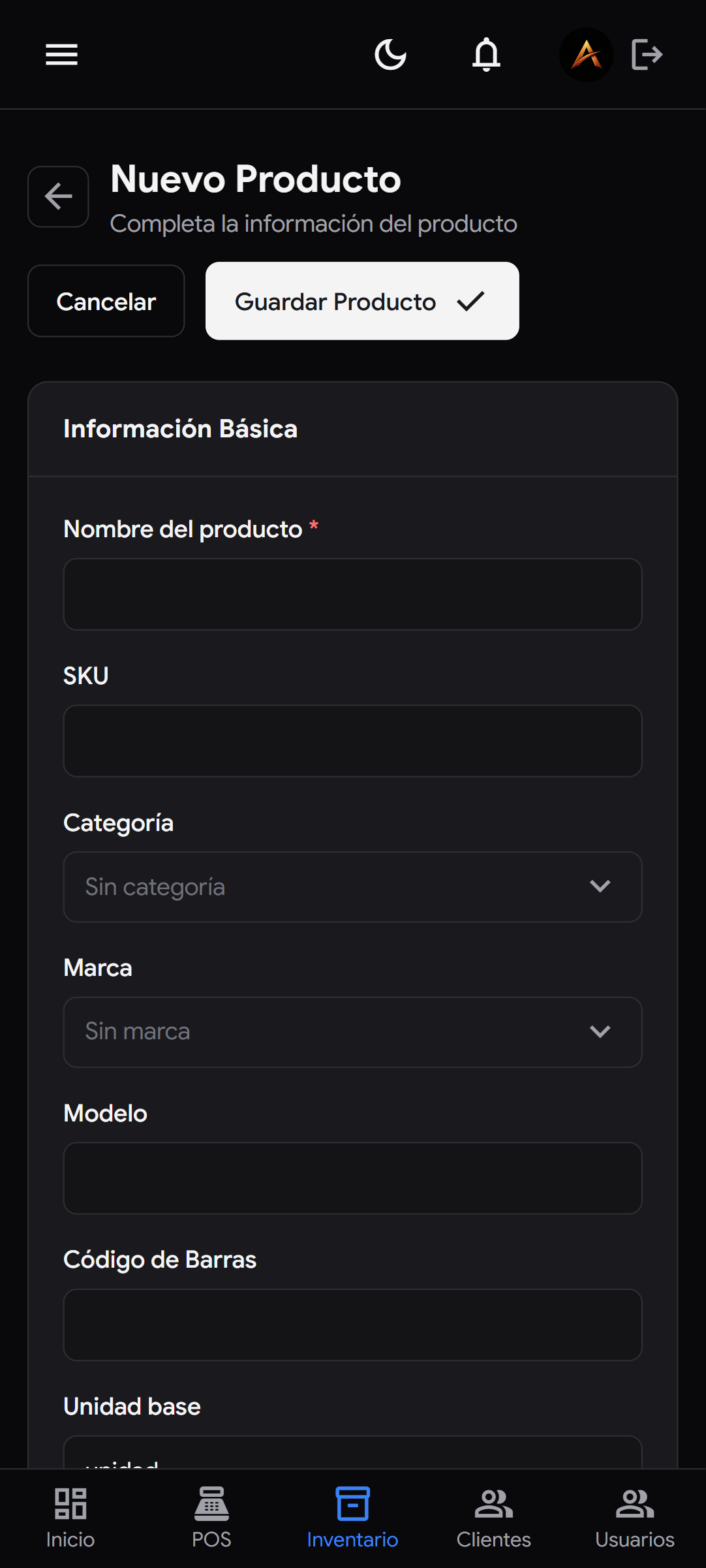
  • Multi-warehouse inventory with stock by physical location
  • Quotation flow: draft → sent → converted to a sale
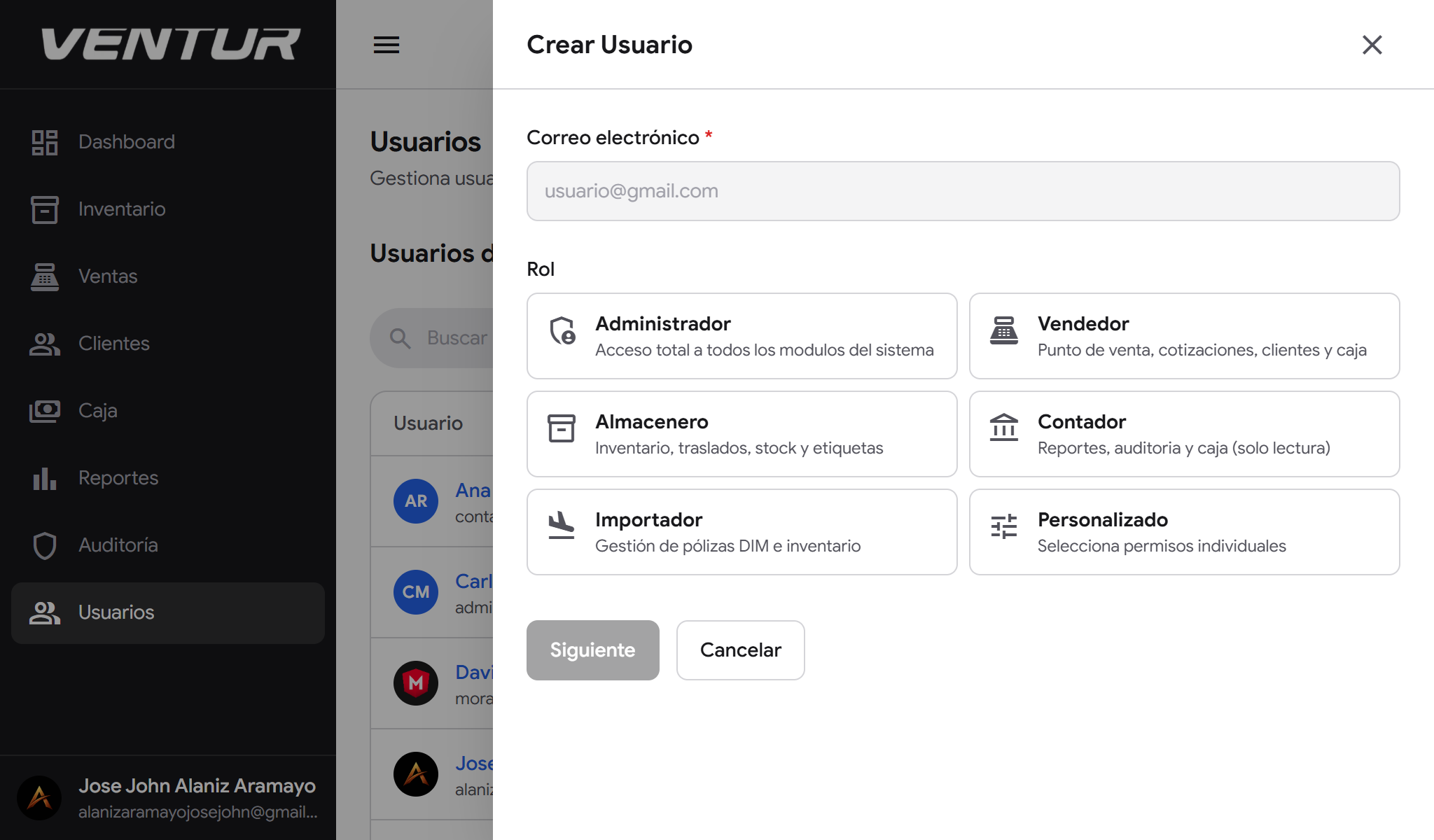
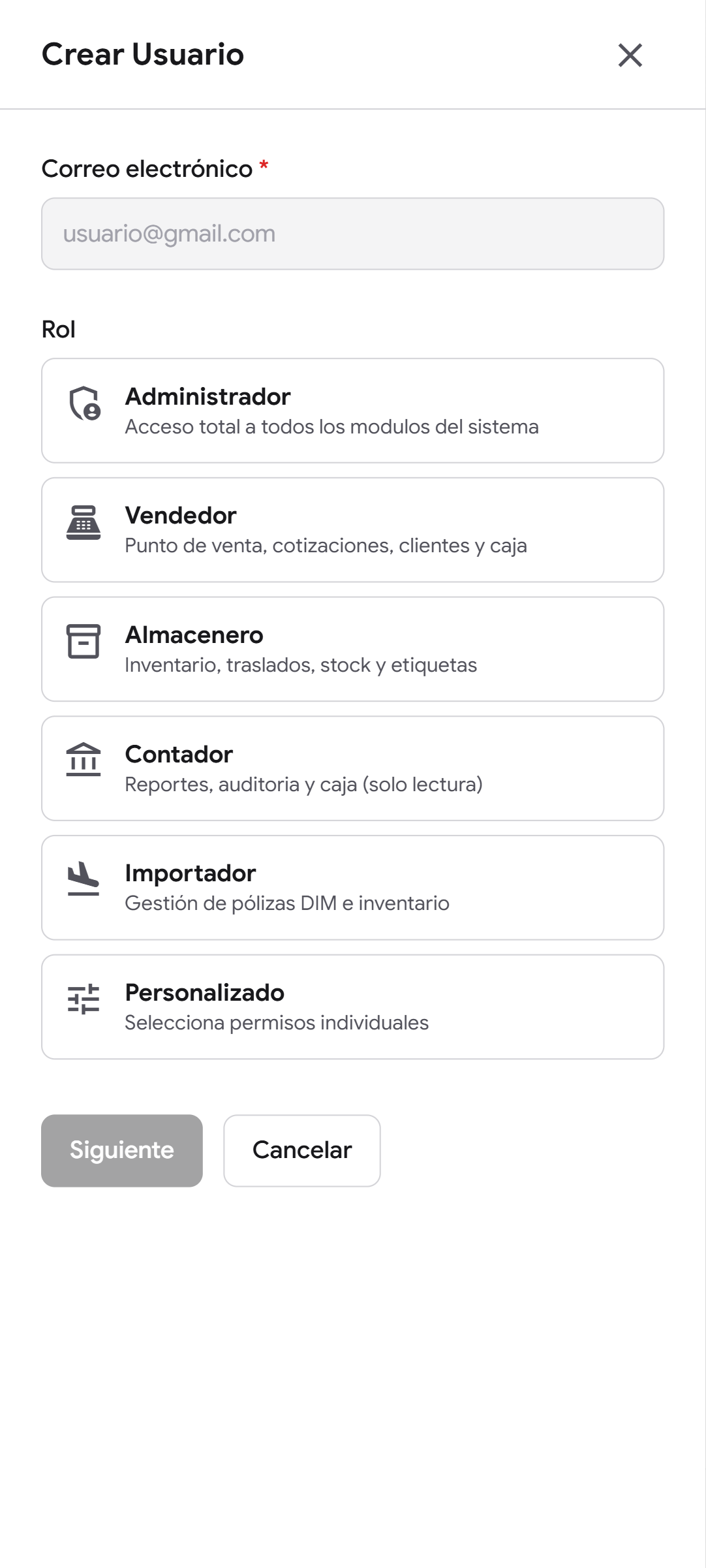
  • RBAC user control: Administrator, Salesperson, Warehouse Keeper, Accountant, Importer
  • DIM import declaration management for import control
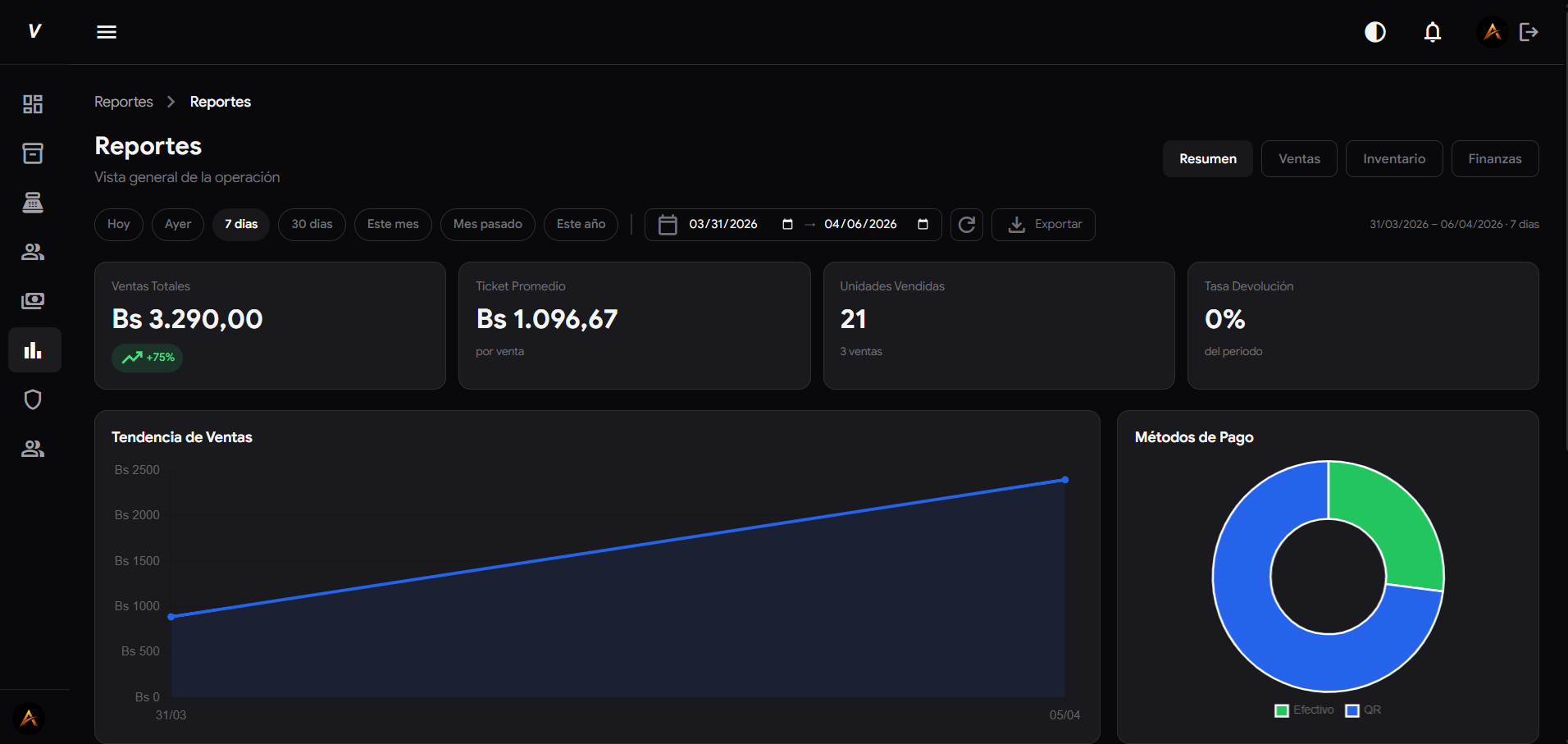
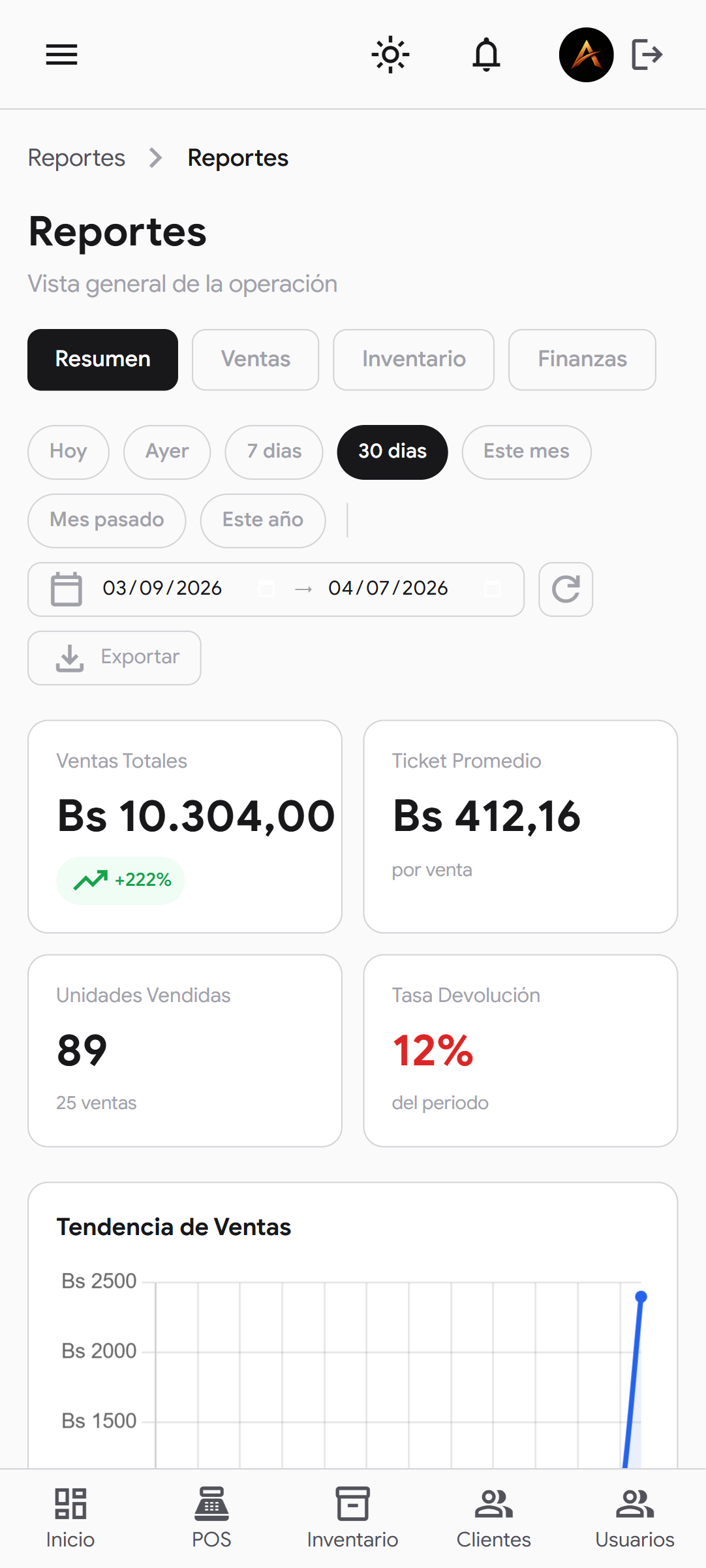
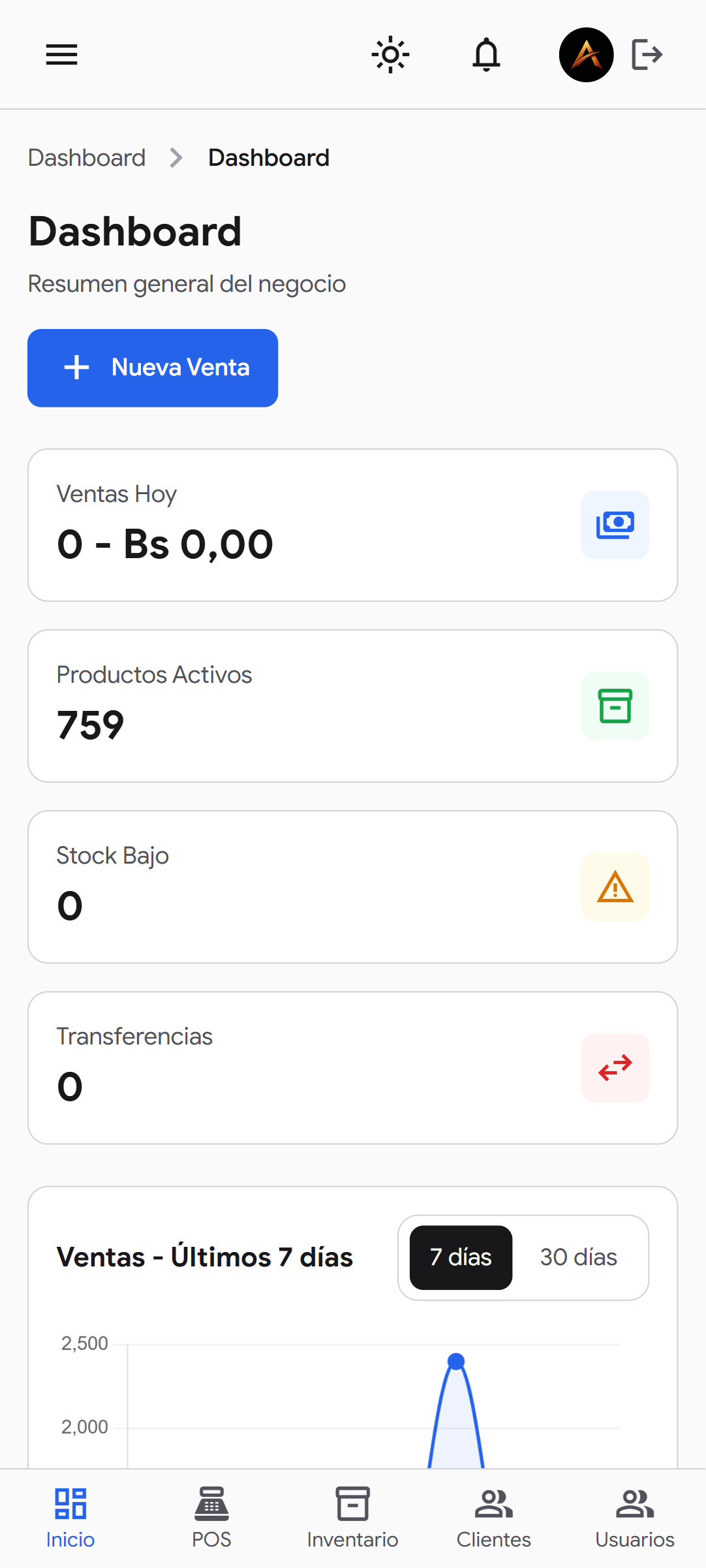
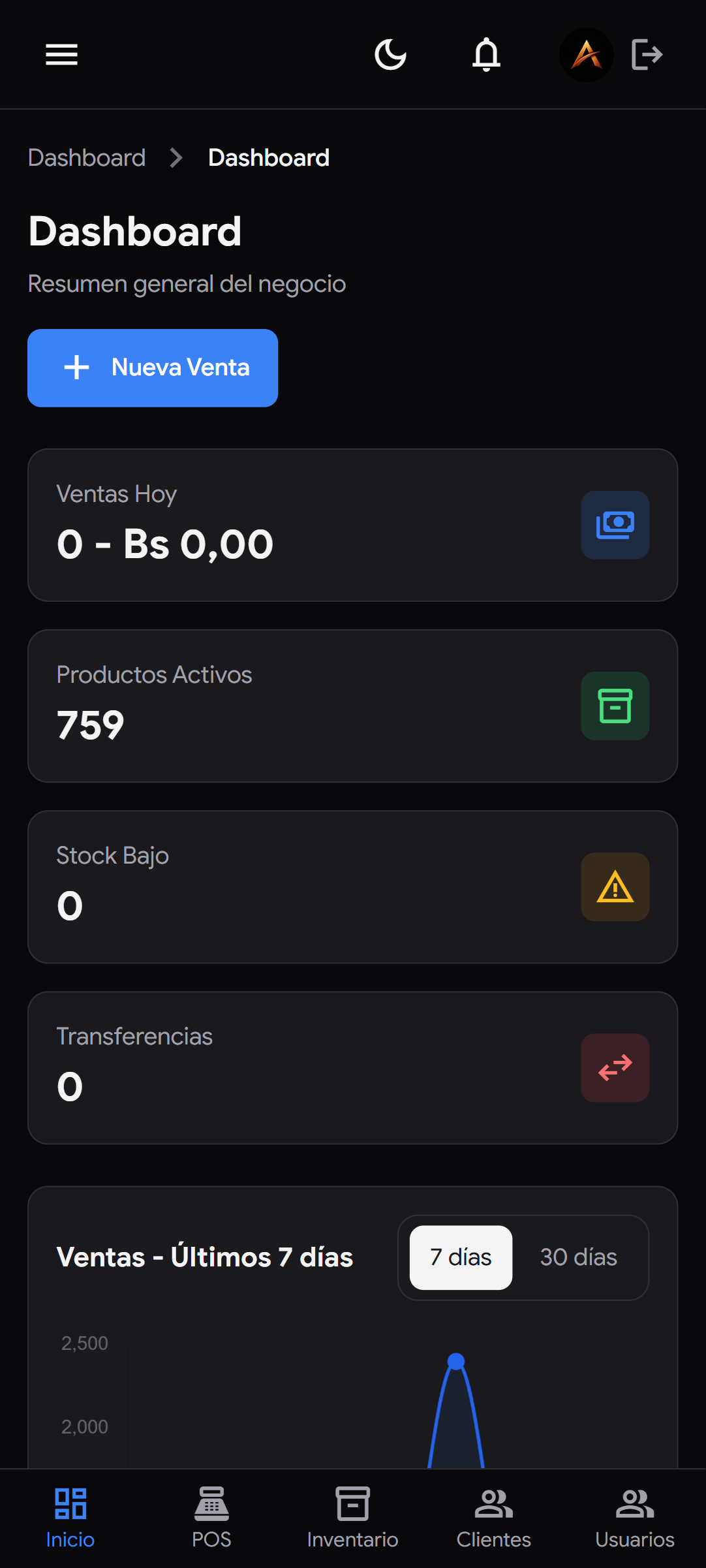
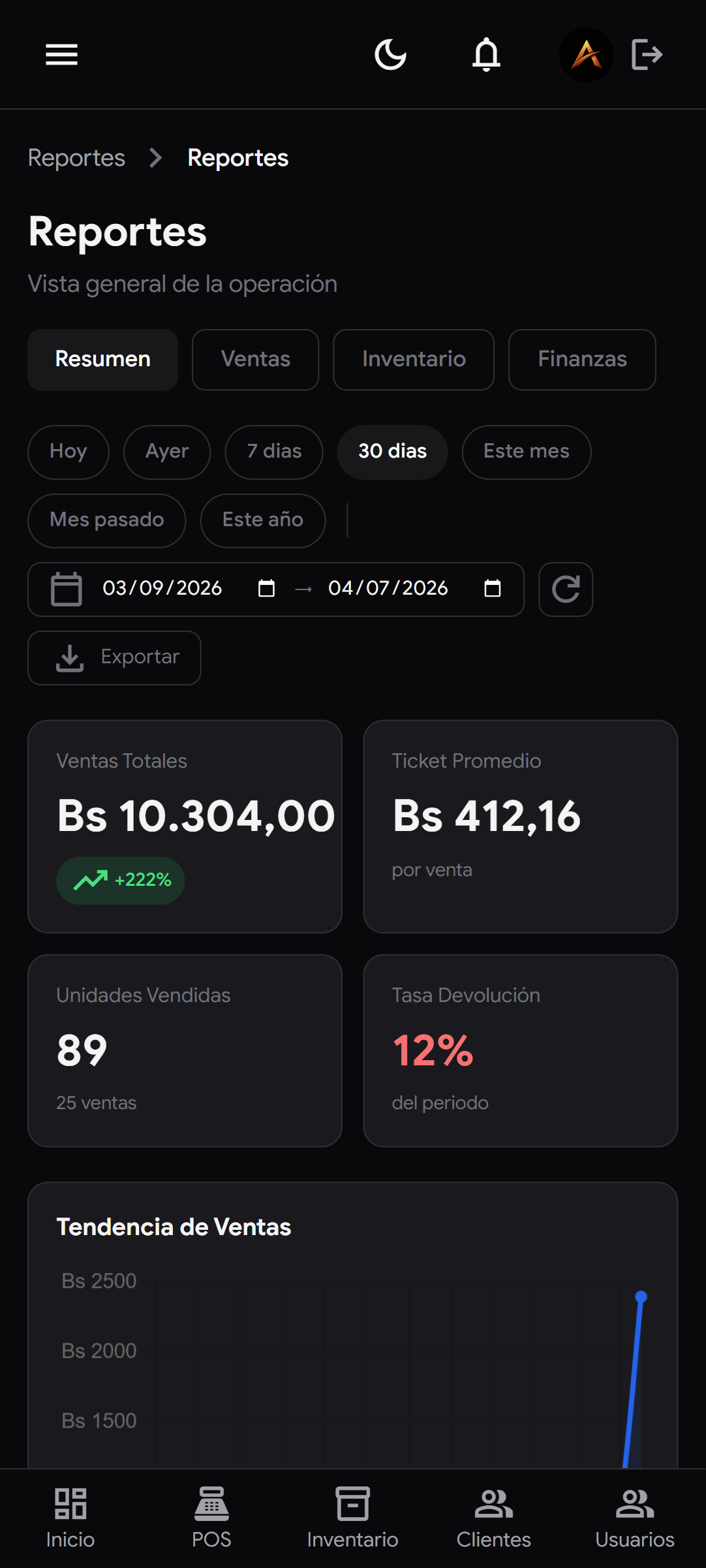
  • A dashboard with key metrics: sales, average ticket, return rate
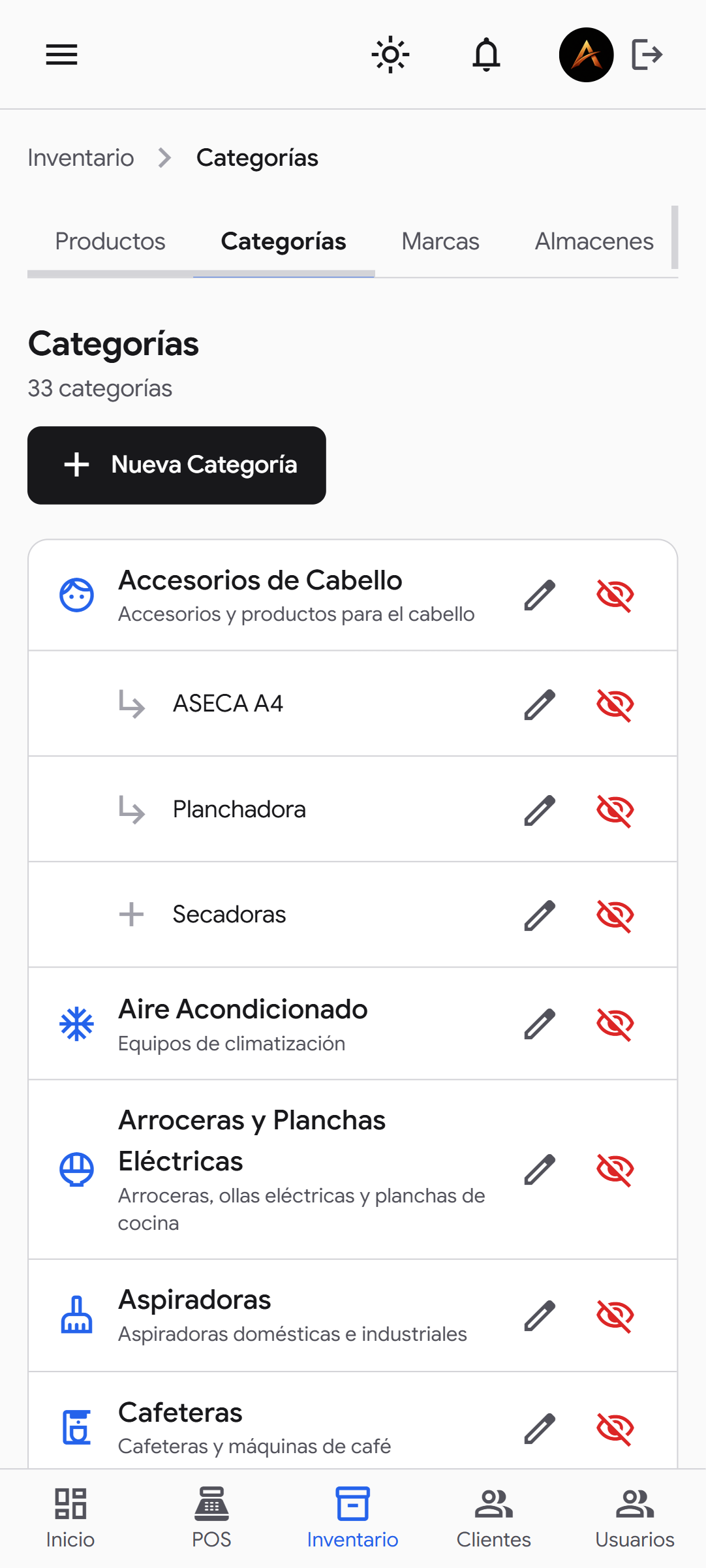
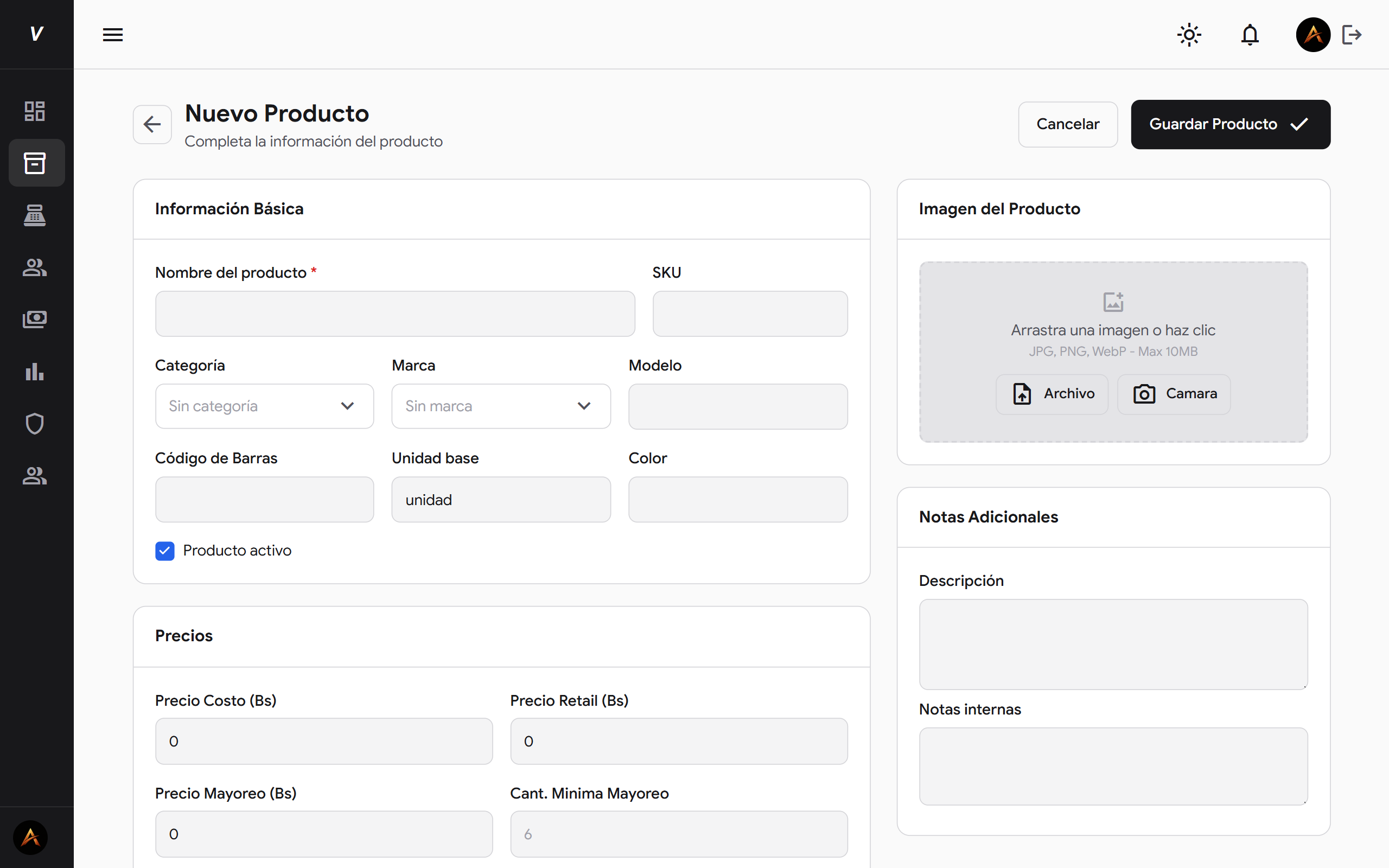
  • Category, brand and product management with active/inactive states
  • Light and dark mode — an interface on a par with global SaaS products

5

User
Roles

7

Modules
Integrated

240h

Design and Research

300h

Development and Testing

+40

Screens

System features

Each module was built to work independently but connected to the rest — the salesperson records the sale, the warehouse keeper sees stock drop, the accountant audits the movement. All in real time.

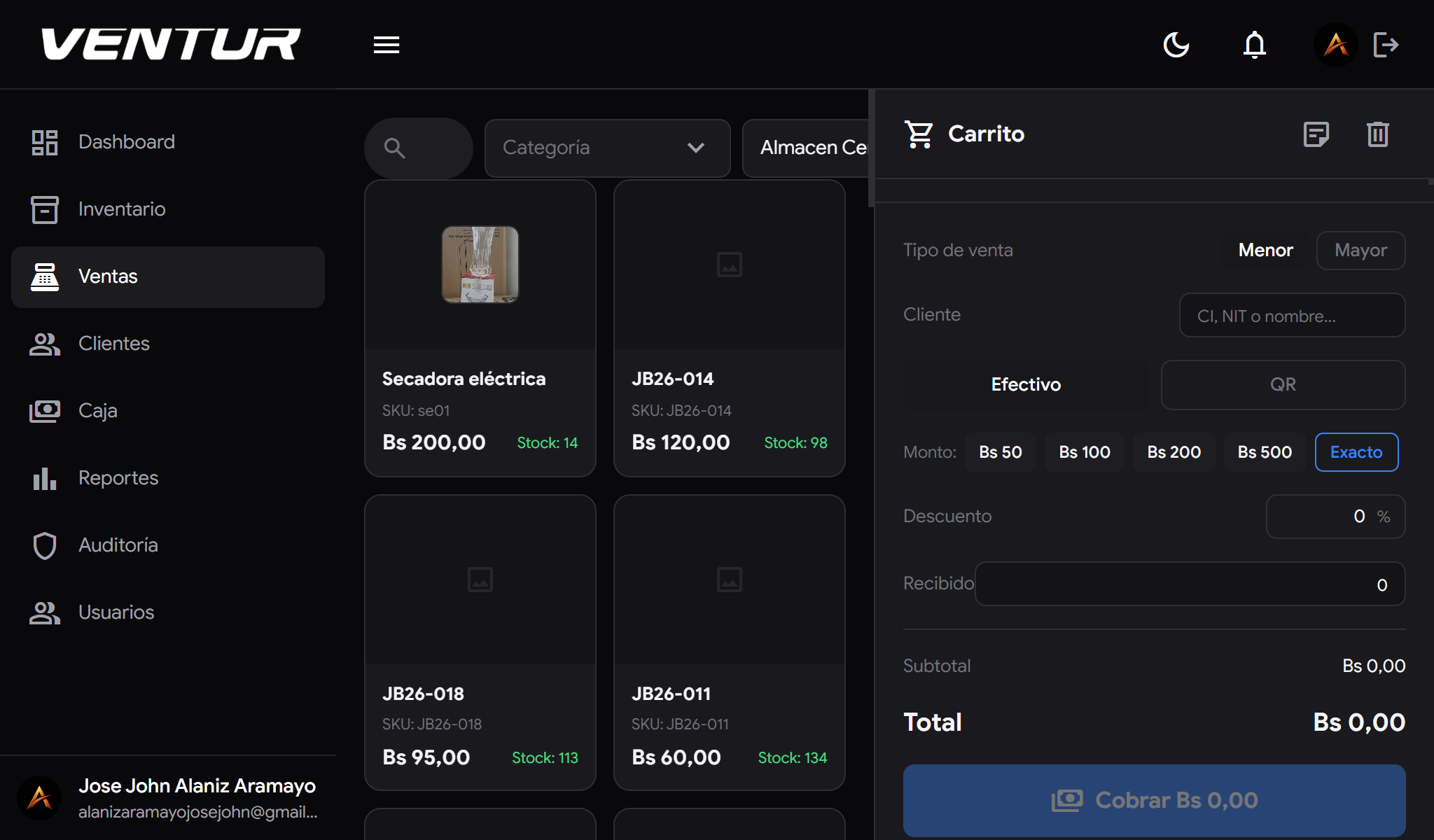
venture-laptop-venta-black — Point of sale screen in dark mode
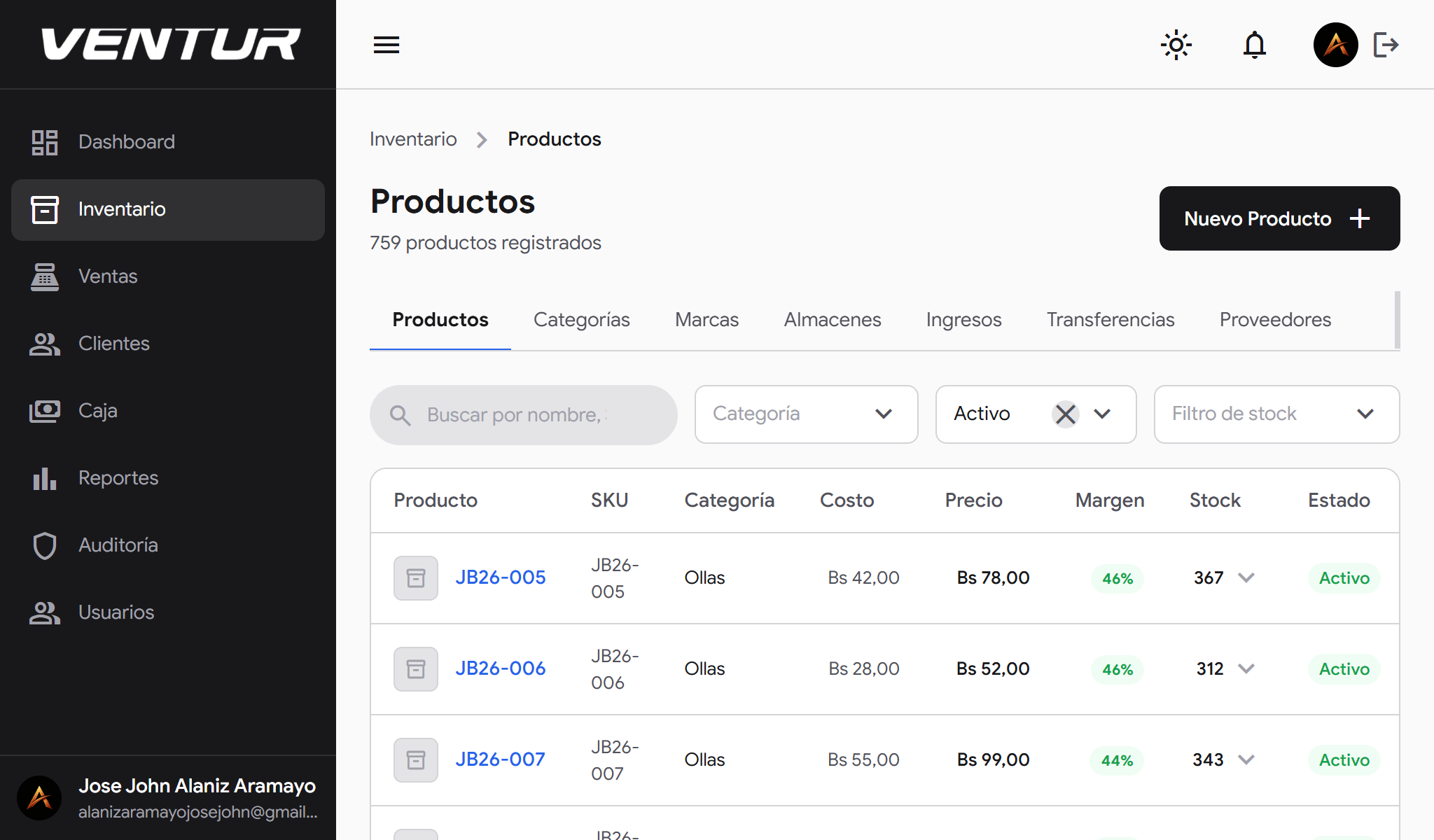
venture-laptop-productos-white — Product list in light mode

Point of Sale (POS)

A complete sales flow with sequential sale numbers (VTA-0000X), payment methods — QR and cash — statuses and traceability on every transaction. Designed so a salesperson processes a sale in seconds.

Integrated directly with inventory: every sale deducts stock from the relevant warehouse in real time.
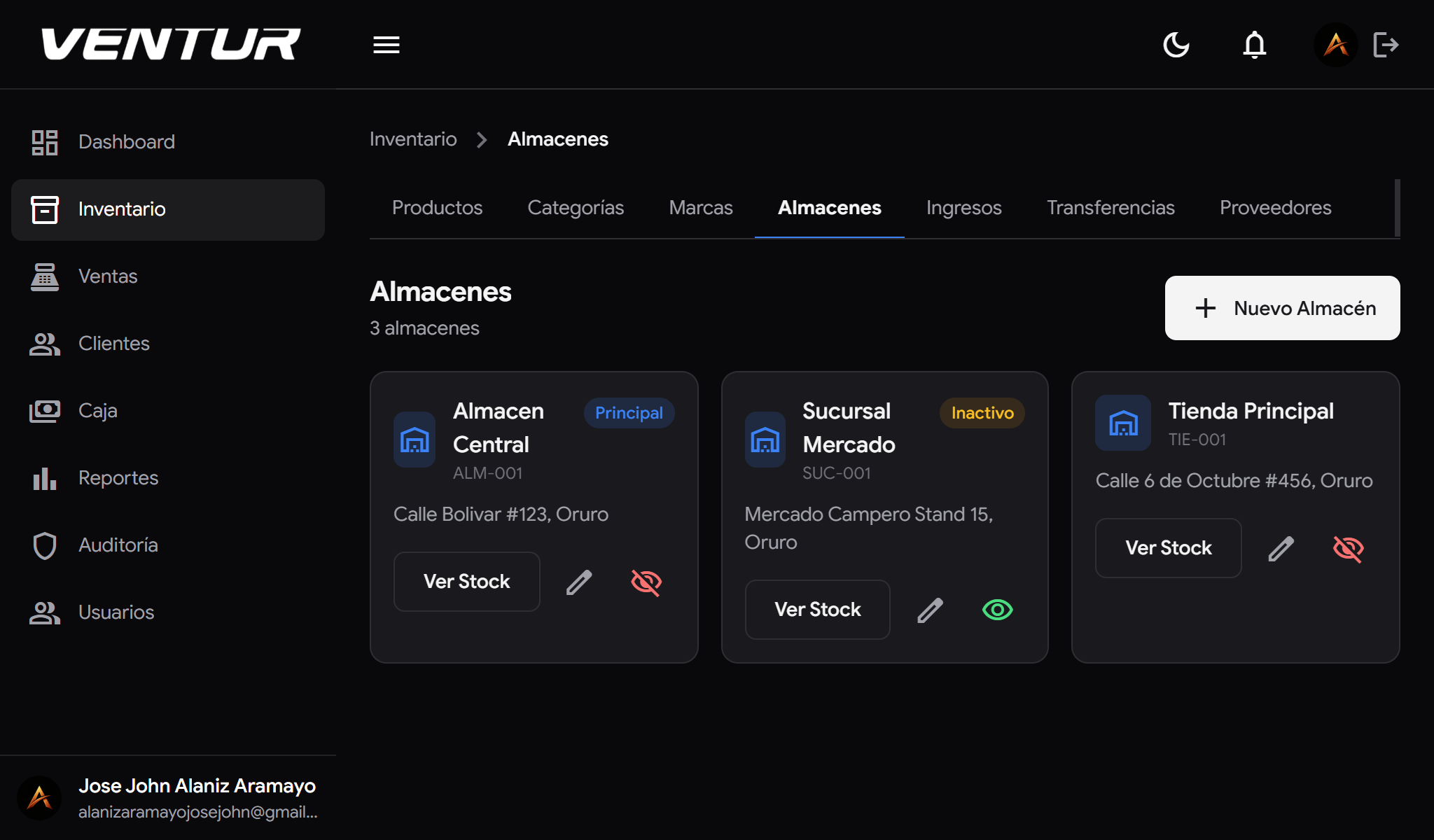
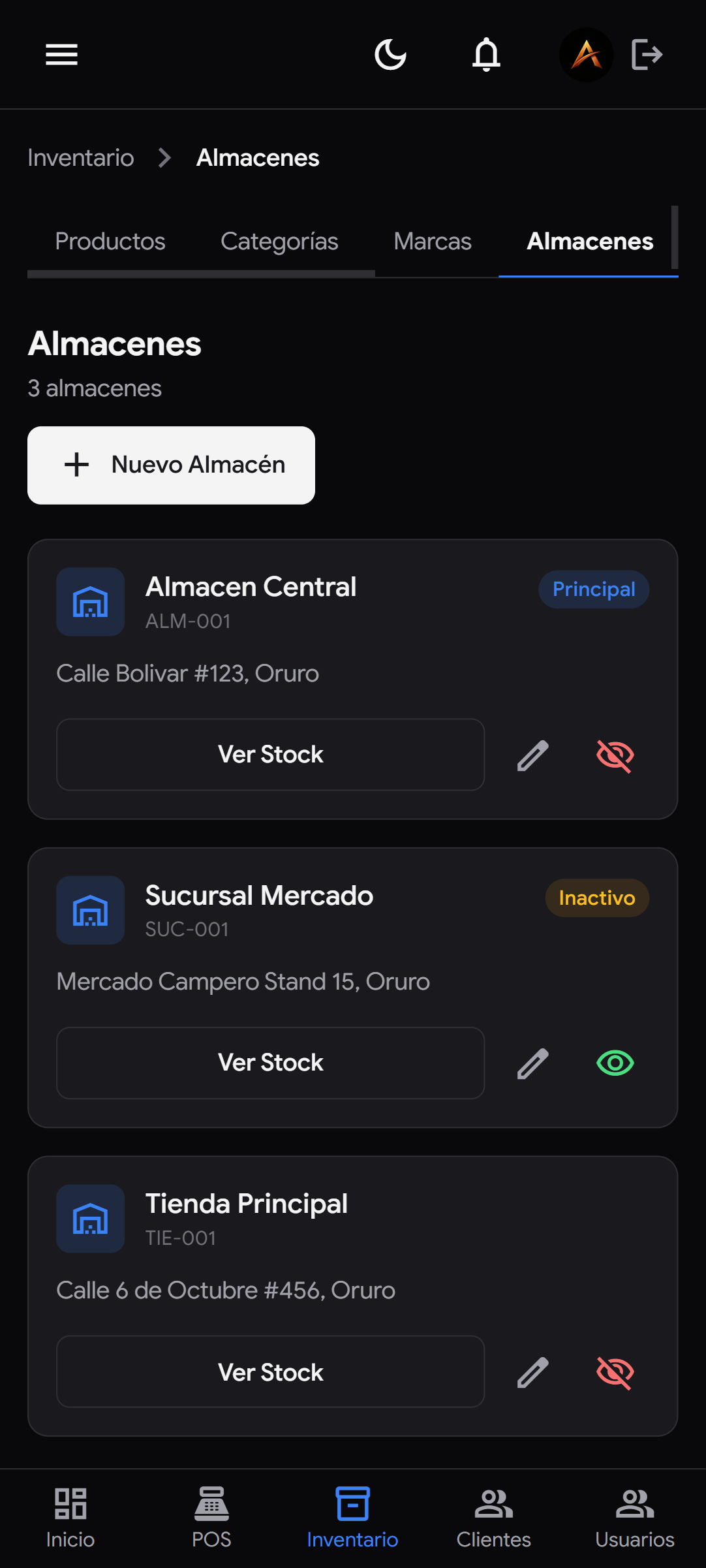
venture-laptop-almacenes-black — Warehouse management in dark mode
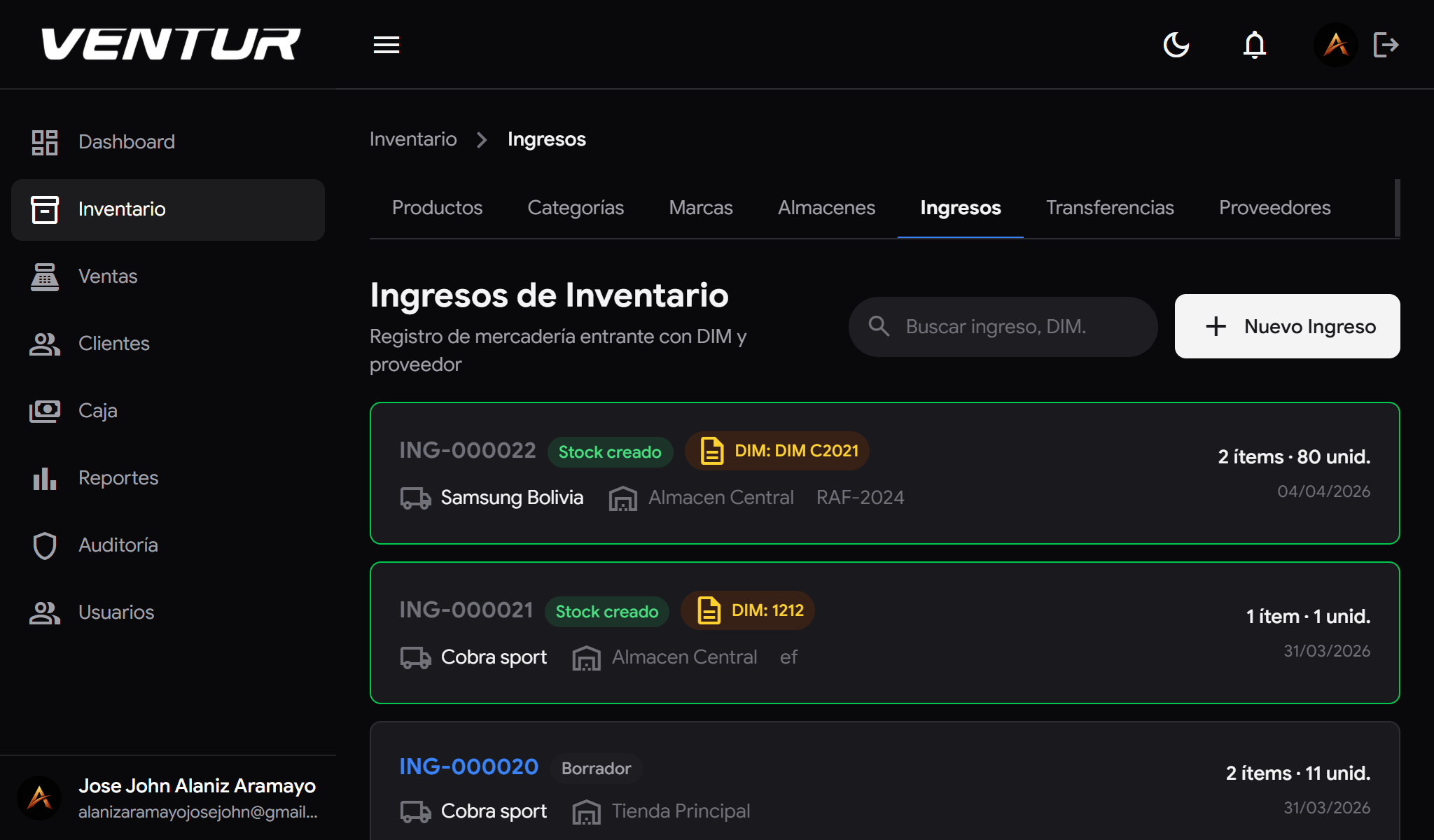
venture-laptop-inventario-black — Inventory control in dark mode

Multi-Warehouse Inventory

Stock control by warehouse with physical location, categories, brands and active/inactive states. You know exactly how many units of each product sit in the Central Warehouse, the Market Branch or the Main Store.

Inter-warehouse transfers recorded and traced — the warehouse keeper moves stock, the system logs it.

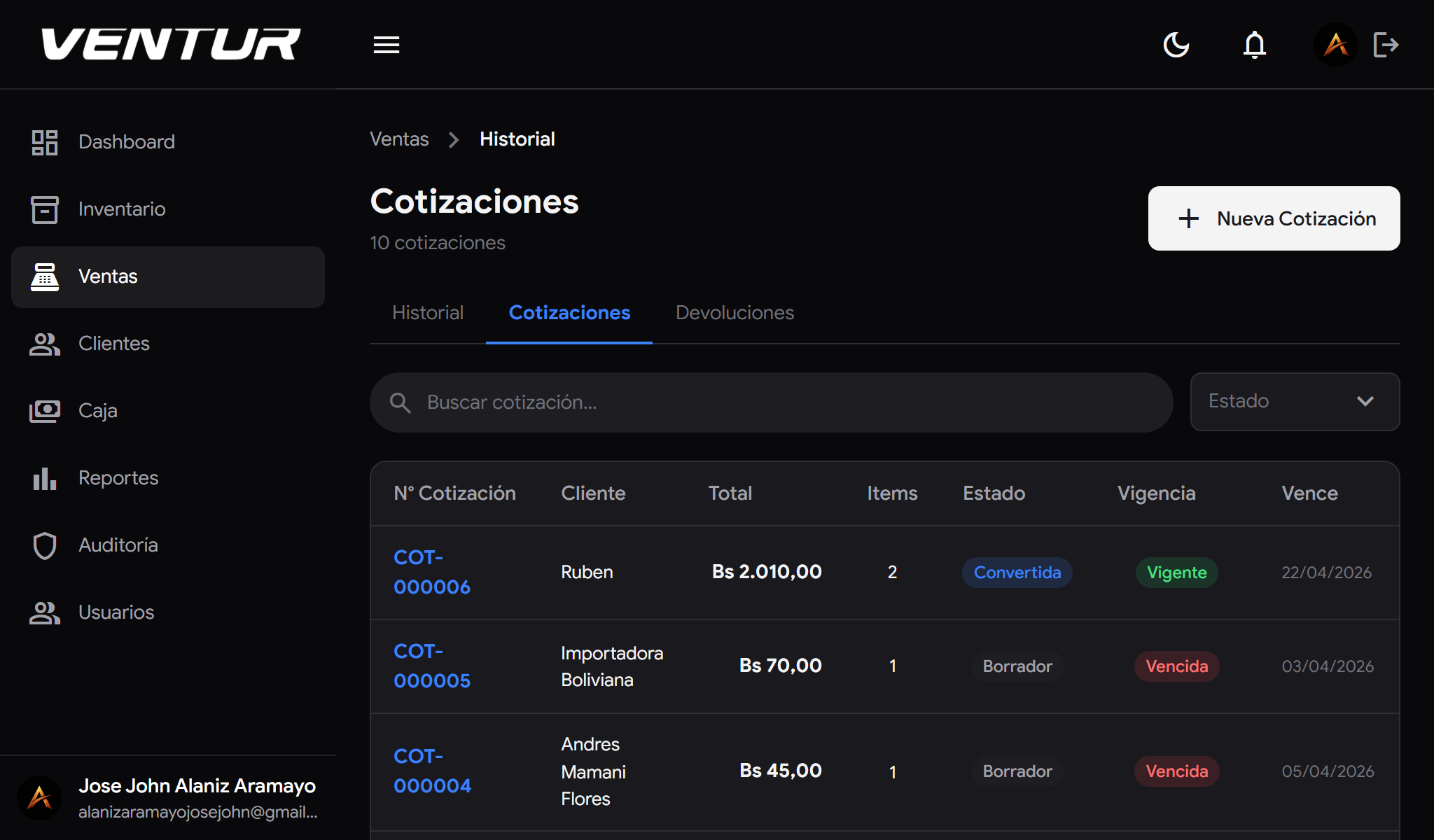
venture-laptop-cotizaciones-black — Quotation pipeline in dark mode
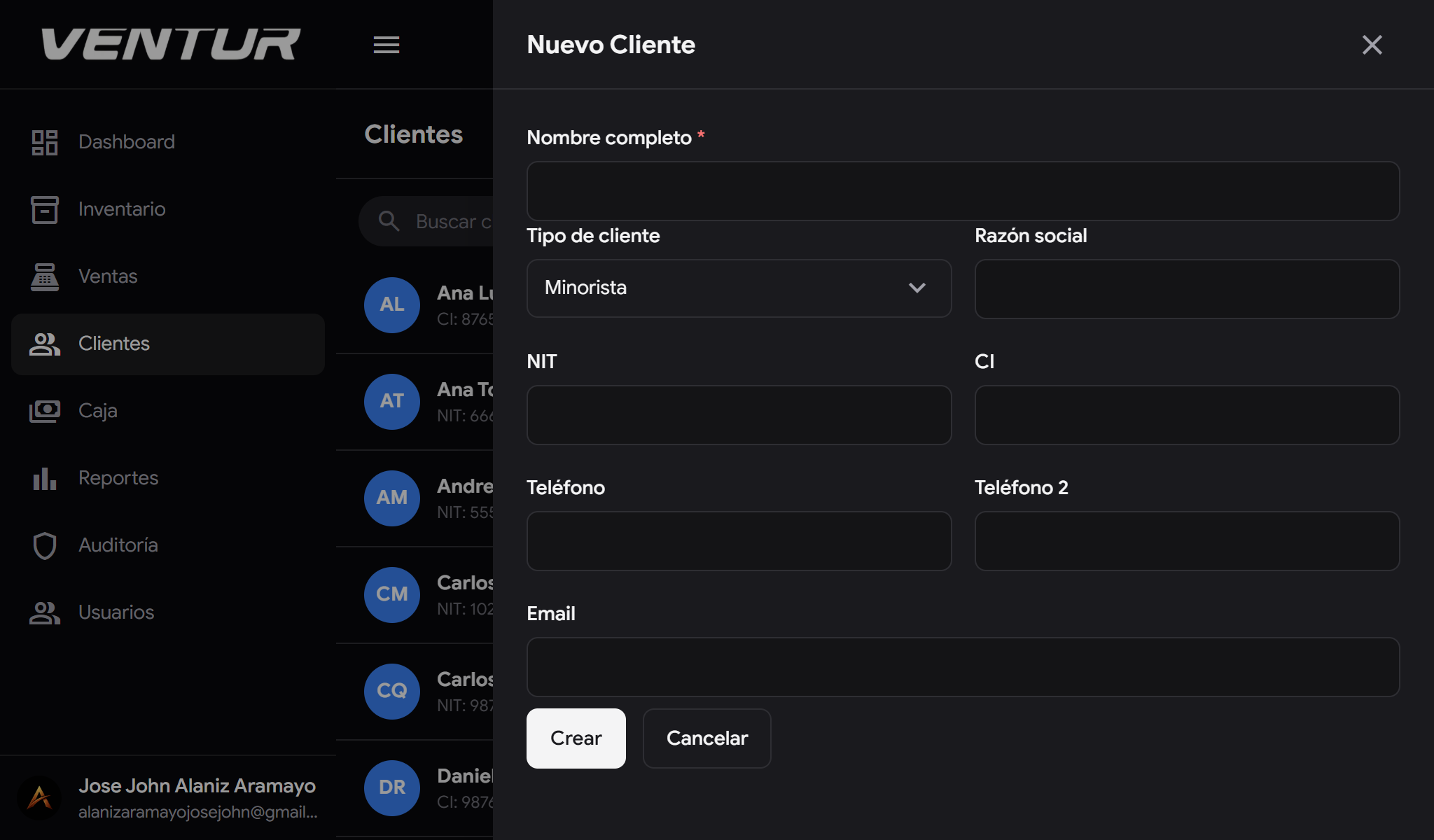
venture-laptop-clientes-black — Customer management in dark mode

Quotation Flow

Draft → Sent → Converted to a sale. The whole commercial process in one flow. A quote is not a loose document — it is the start of a sales cycle that ends with stock deducted and the till updated.

Complete per-customer history with dates, statuses and amounts.

venture-laptop-cotizaciones-black — Quotation pipeline in dark mode
venture-laptop-clientes-black — Customer management in dark mode

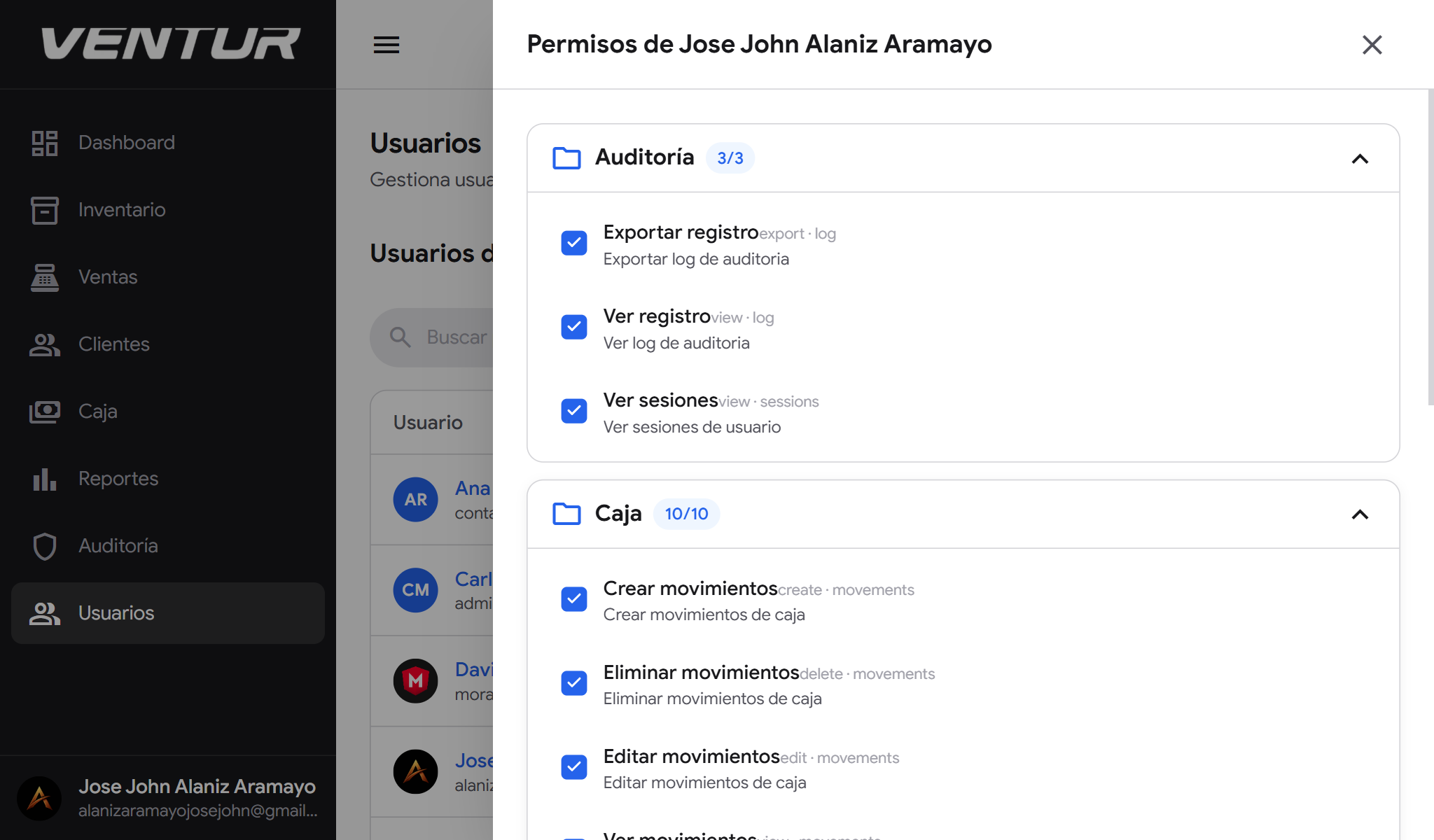
Fully Granular Permissions

The system goes beyond predefined roles. Each individual permission can be enabled or disabled per user — not every salesperson needs the same thing, not every warehouse keeper has the same remit.

An administrator builds each person's exact profile: access to a module yes, to one action within it no. Surgical control over who can do what, without relying on generic roles.

venture-laptop-cotizaciones-black — Quotation pipeline in dark mode
venture-laptop-clientes-black — Customer management in dark mode

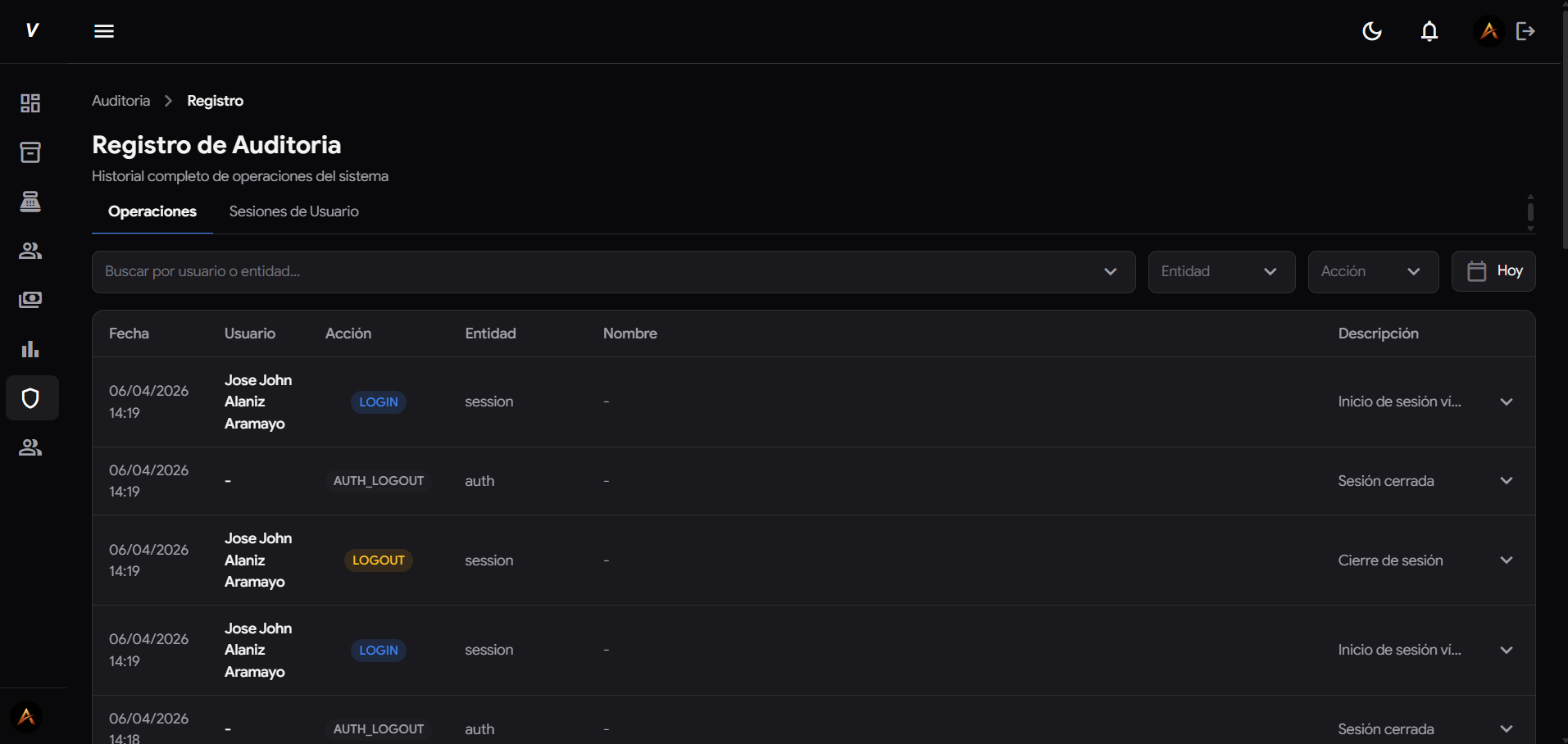
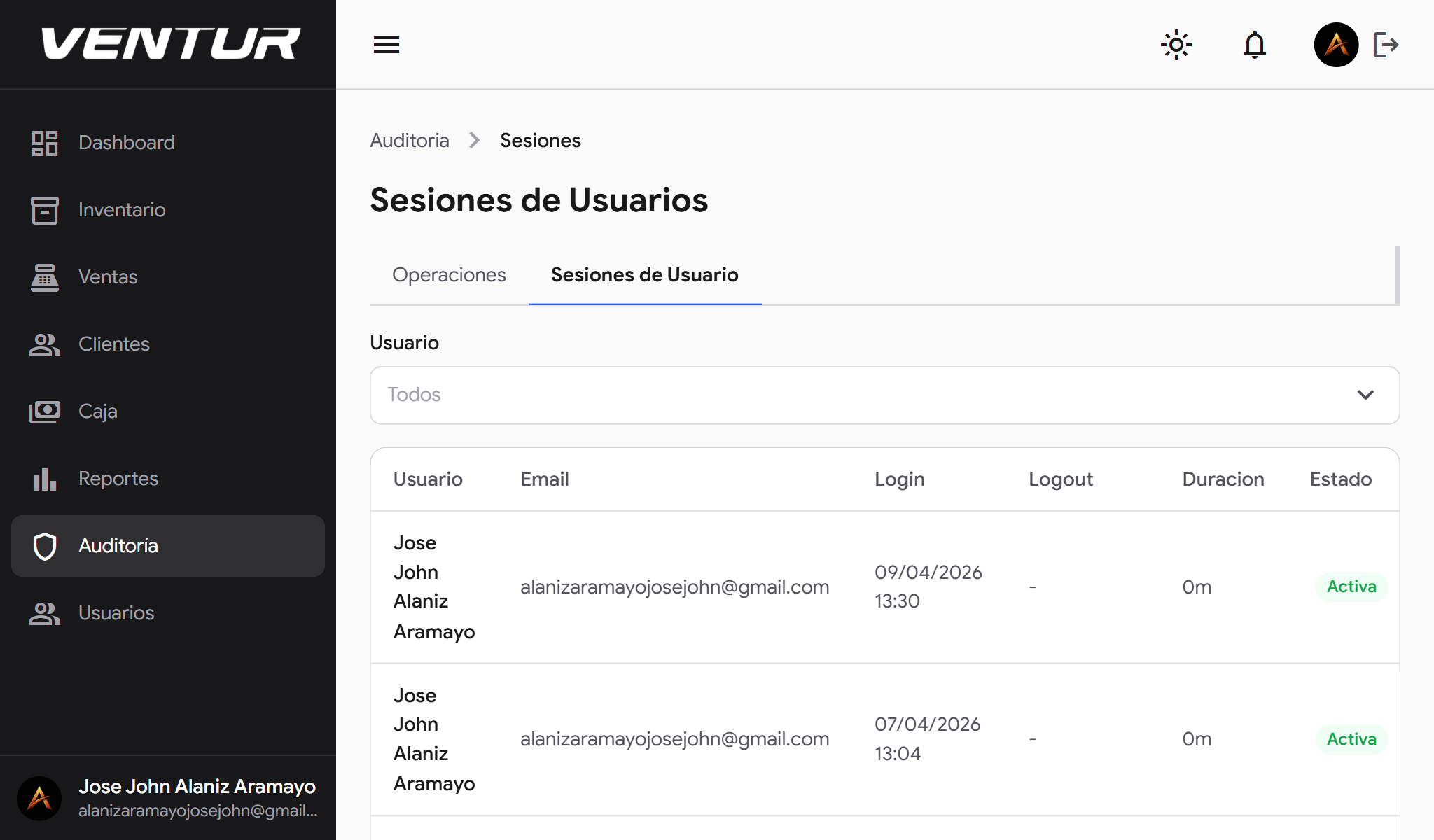
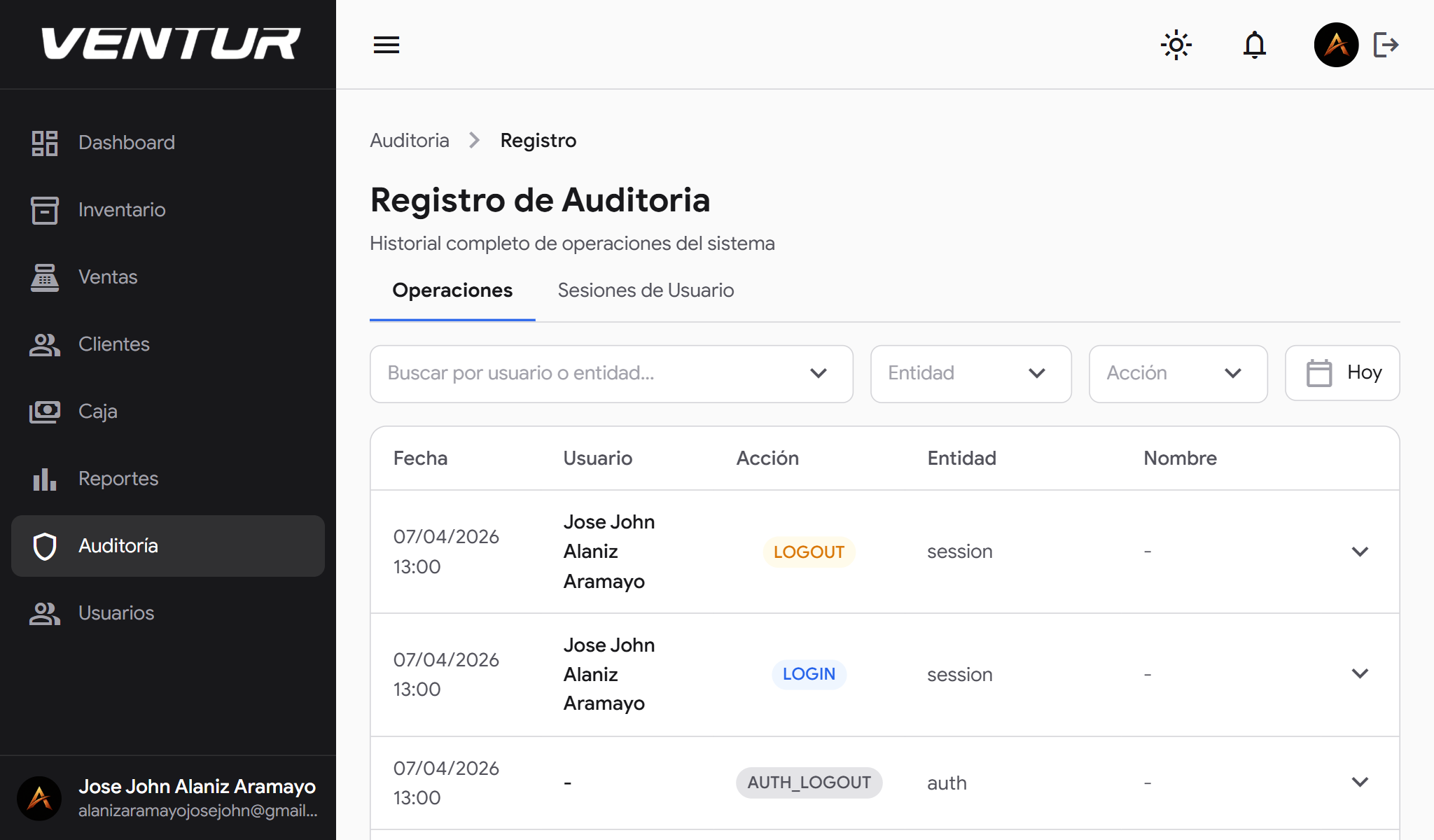
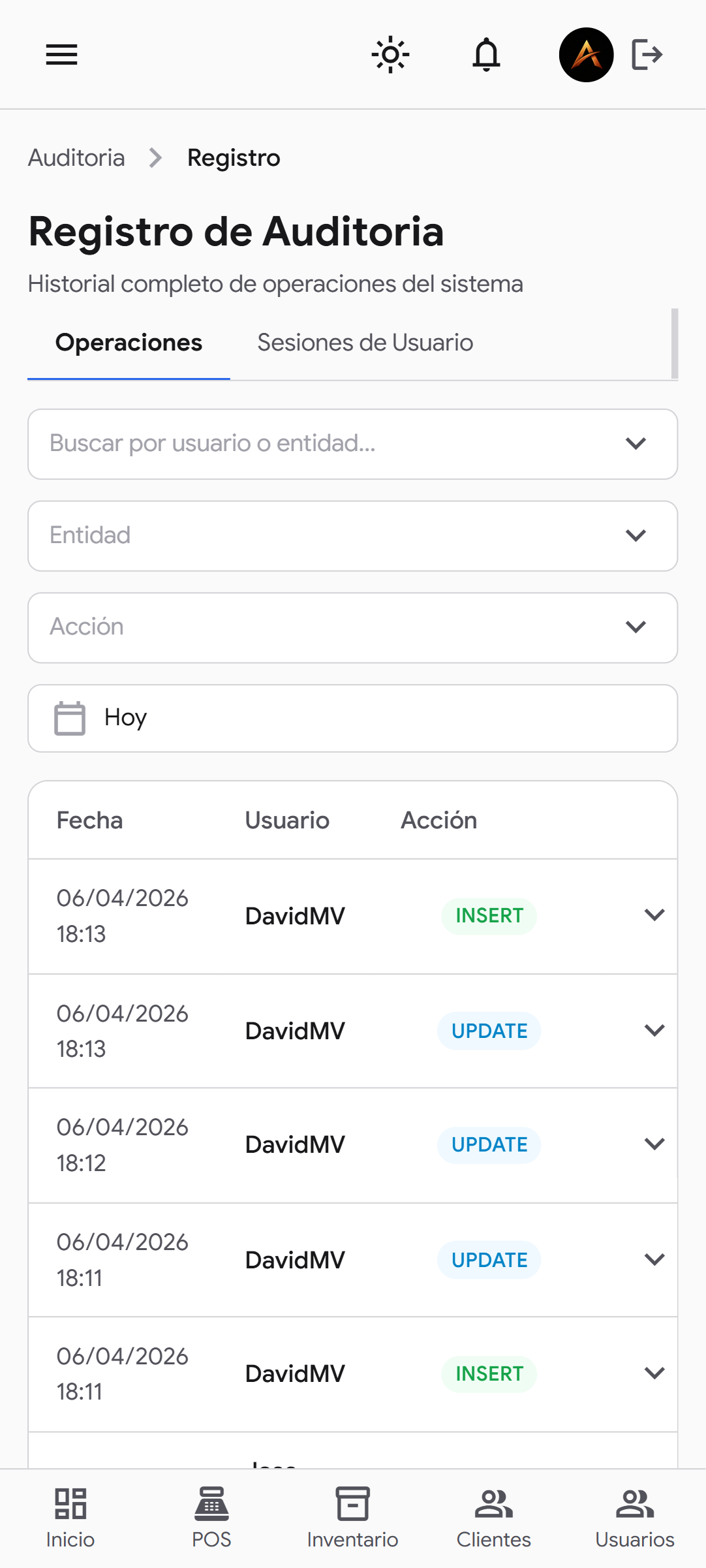
Complete System Audit

Every movement is logged — not just critical actions like creating a sale or changing stock, but browsing too. If a user opened a module, checked a price or looked through a customer's history, the system knows.

Records carry a timestamp, the user and the exact action. Management can reconstruct what happened at any point in the day. Full traceability for internal audits and control of sensitive operations.

UX/UI Design

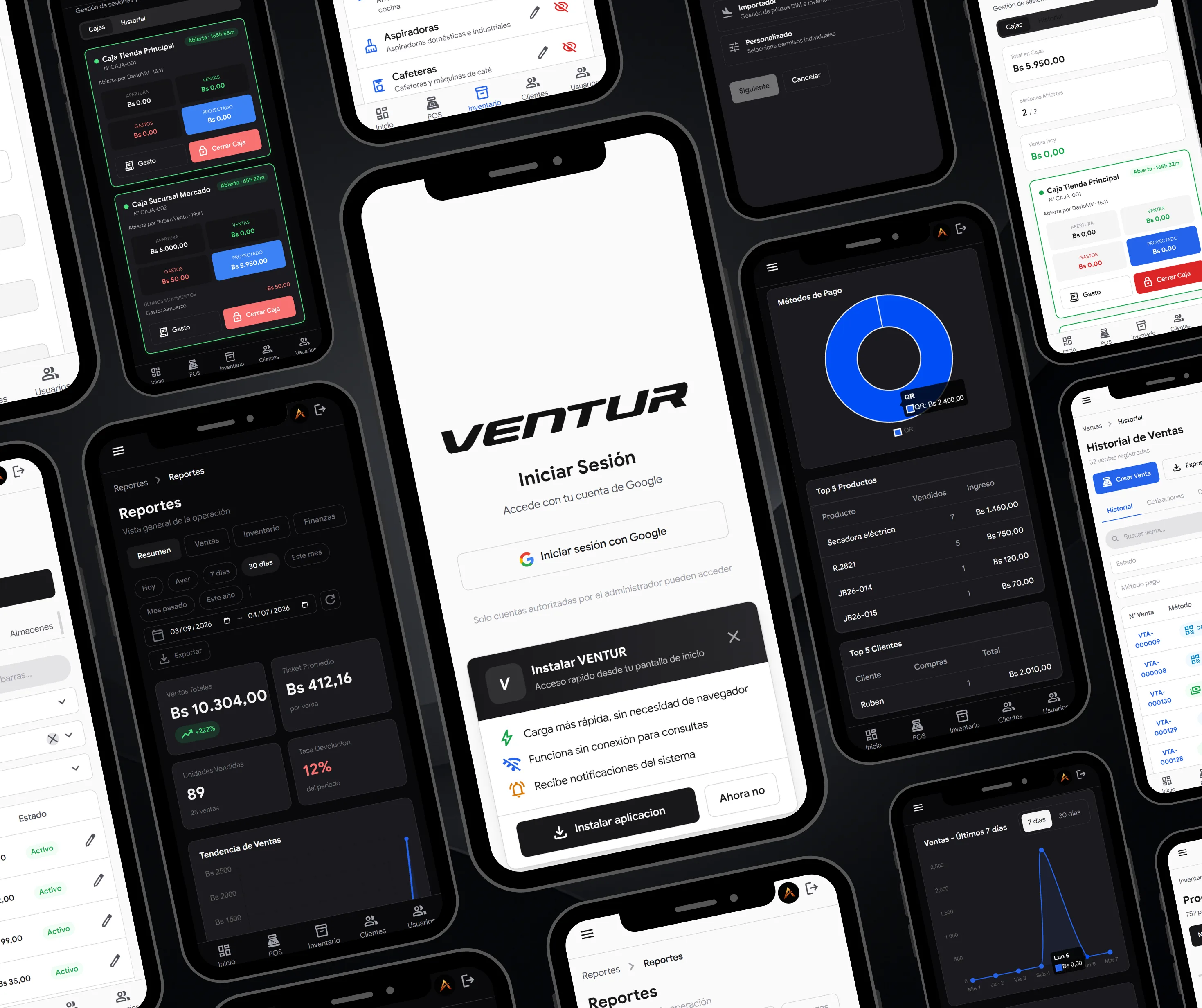
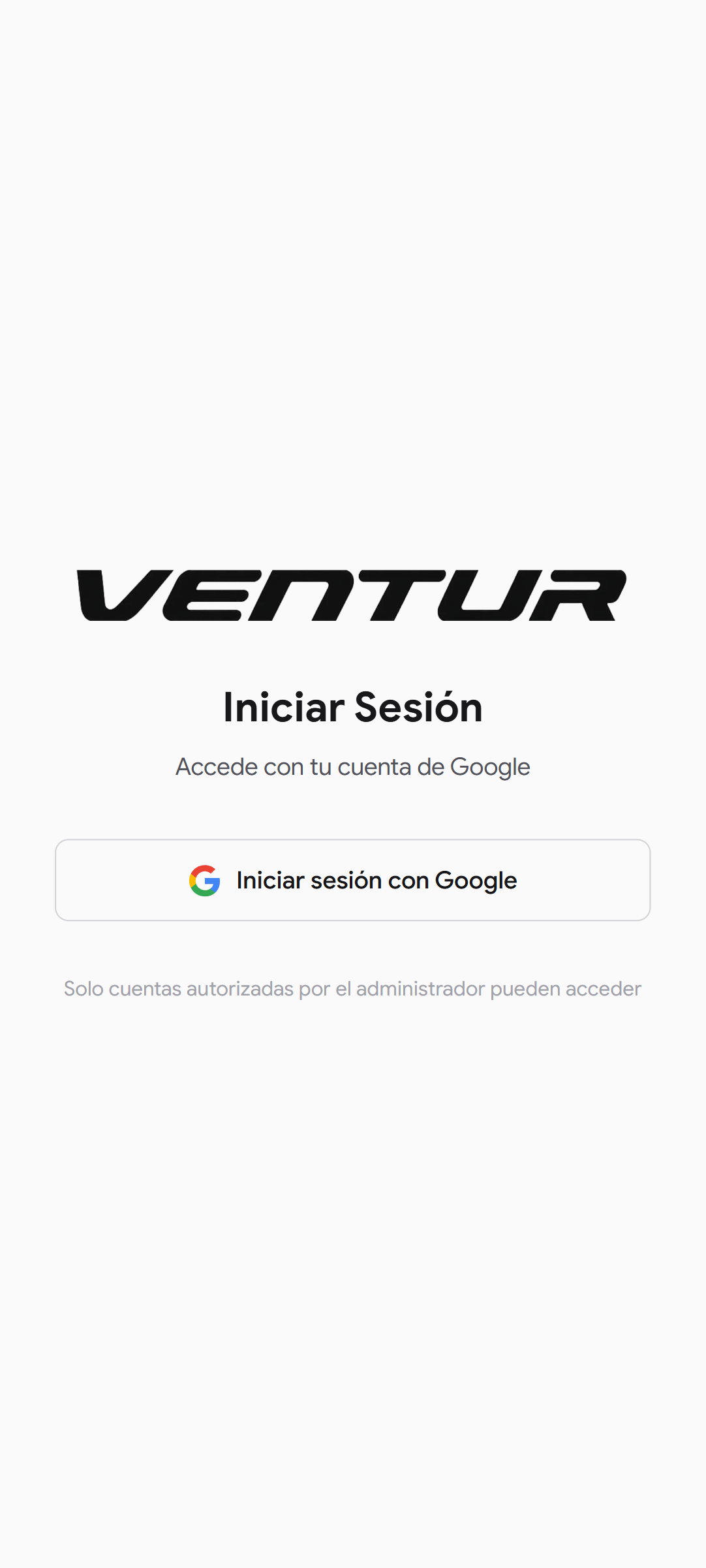
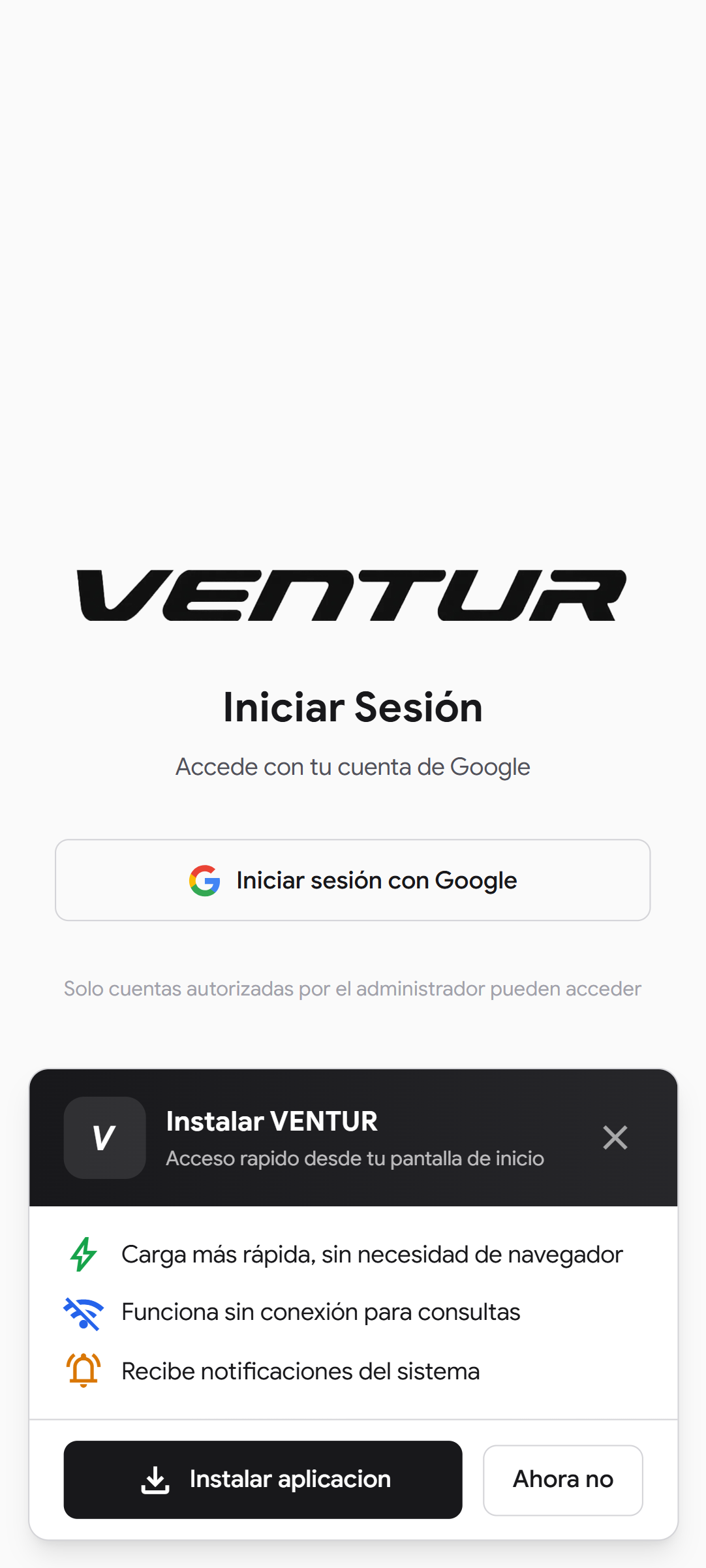
venture-celular-login-white — Login screen in light mode
venture-celular-reporte-white — Reports view in light mode
venture-celular-dashboard-black — Dashboard in dark mode
venture-celular-dashboard-white — Dashboard in light mode

Most ERPs are functional but hard to use. Venture starts from the opposite premise: if the user needs extensive training to operate the system, the design failed. Every screen was tested against one question — can a new employee understand this on their first day?

Information hierarchy, not crowded screens

In an ERP the temptation is to show everything in one view. The design decision was the opposite: primary information always visible, secondary on demand. The user does not scan — they read. That requires a visual system where type weight and spacing do the prioritising.

Contextual actions, not global menus

Action buttons appear when they make sense — on hovering a table row, on selecting an item, on completing a field. The user does not hunt for "edit" — the system offers it exactly when needed. Less noise, fewer errors.

Unambiguous visual states

Every system state has an unmistakable representation: colour, label and icon together, never alone. A completed sale, a pending quote, an inactive product — the user grasps the state without reading. Designed for working fast under pressure.

Light and dark mode with the same intent

Dark mode is calibrated to reduce fatigue in night sessions without losing contrast on critical data. Light mode answers environments with strong natural light. Both come from the same token system — neither sacrifices legibility for aesthetics.
Typography

Venture's typography prioritises information density without sacrificing legibility. In an ERP the user reads tables, numbers and statuses for hours — every typographic detail matters.

Google Sans + system-ui

Google Sans is the primary typeface — geometric, legible at small sizes, with character without being showy. Ideal for data interfaces where the user reads numbers, statuses and labels for hours.

system-ui acts as the fallback: if Google Sans is unavailable, the system uses the device's native font — San Francisco on iOS/macOS, Segoe UI on Windows, Roboto on Android. The interface always feels at home.

Colour Palette

A minimal four-colour palette that needs nothing more. Each tone has a clear role — background, surface, content and action. That chromatic discipline keeps the system looking professional whichever module is open.

#09090B

Primary dark background. Almost pure black — the canvas the whole system operates on in dark mode.

#1E1E22

Surface. Tables, hovers, cards and secondary buttons. The grey that adds depth without noise.

#1D4ED8

Action blue. Create buttons, sale IDs, active states and links. The colour that says "click here".

#FFFFFF

White. Primary text, iconography and the light mode background. Maximum contrast for maximum legibility.

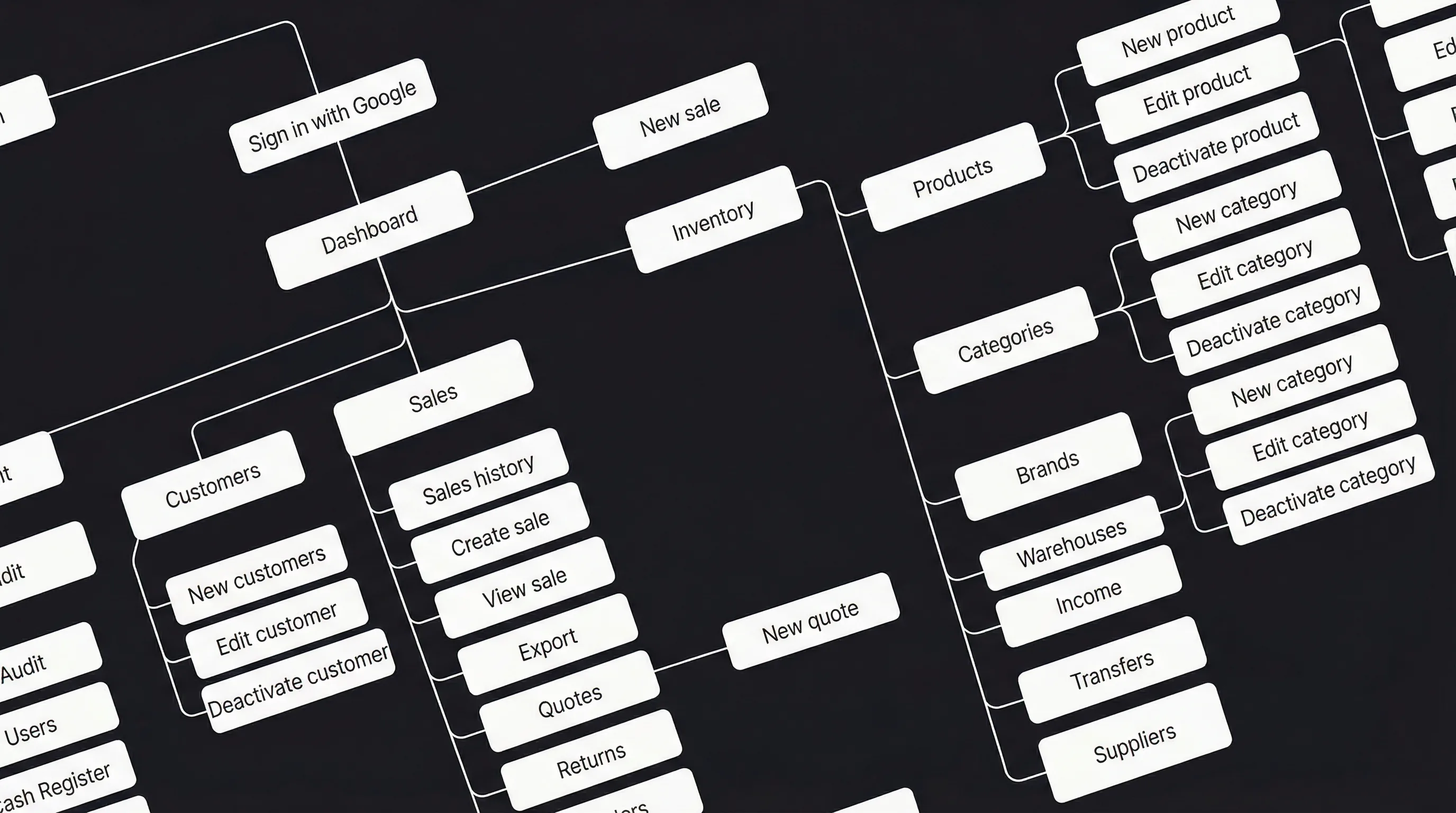
Roles and Structure

The system implements RBAC — role-based access control. Each user reaches only the modules that belong to them. No unnecessary menus, no information that is not theirs, no risk of operations beyond their remit.
Conclusion

Venture shows an ERP does not have to be ugly or complicated. With the right architecture, the right design and a focus on the real user — the salesperson, the warehouse keeper, the accountant — you can build a business ecosystem people want to use rather than merely tolerate.

Let's build something great together

Let's collaborate!