SEO for Angular with SSR: the definitive guide

Originally published on Bemorex Learn, our learning platform. · Leer en español
Why SEO in Angular is different
Angular is an SPA (Single Page Application) framework. By default, the server sends an empty index.html with a JavaScript bundle that builds the page in the browser. This presents two problems for SEO:
- Google renders JavaScript, but not always completely or quickly. Other search engines (Bing, DuckDuckGo) have limited support
- Social media crawlers (Facebook, Twitter, LinkedIn) don't execute JavaScript. Without SSR, your Open Graph tags are invisible
The solution is Server-Side Rendering (SSR): the server generates the complete HTML and sends it to the browser. Angular 21 has built-in SSR and configuring it is easier than ever.
Enabling SSR in Angular 21
If your project doesn't have SSR, add it with:
ng add @angular/ssr
This generates:
server.ts: The Express serversrc/app/app.config.server.ts: Server configuration- Updates in
angular.jsonfor SSR build
Verify it works
ng serve
# Open view-source:http://localhost:4200
# You should see rendered HTML, not an empty <app-root>
The SeoService: your central tool
Centralize all SEO logic in a service. The first code block shows the full implementation.
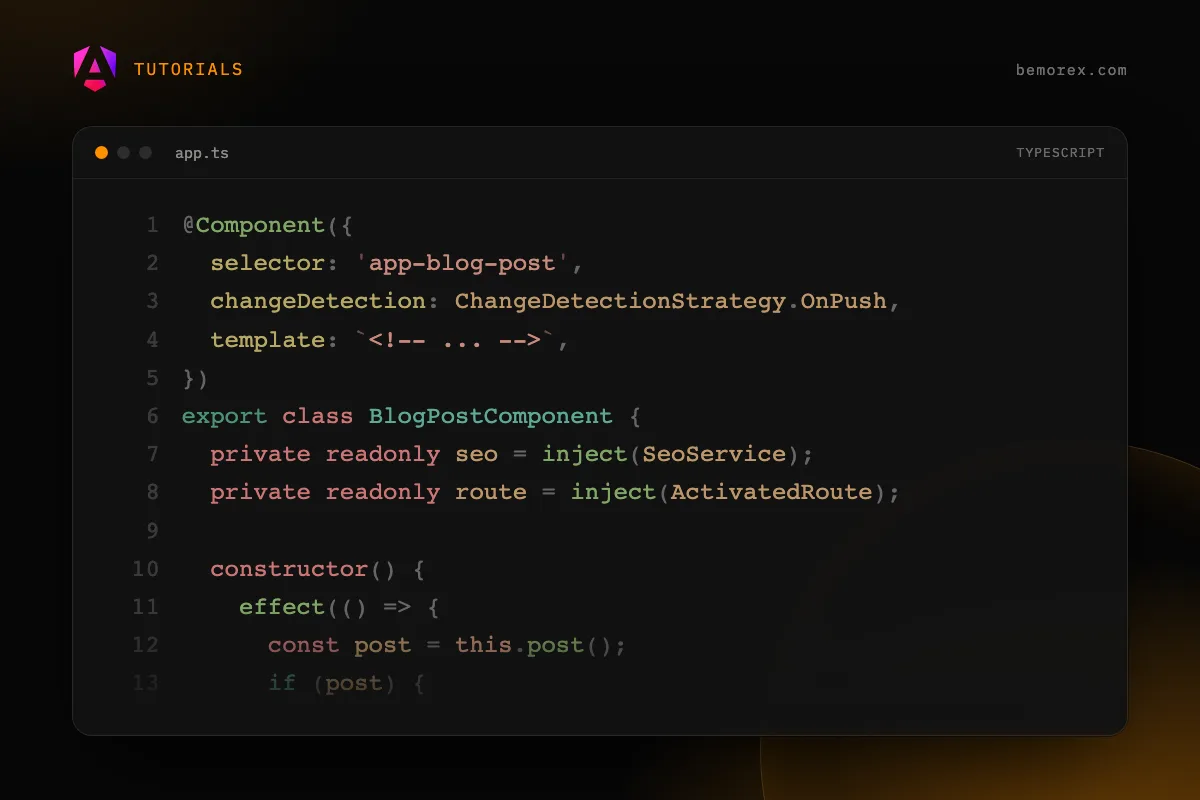
How to use it in components
@Component({
  selector: 'app-blog-post',
  changeDetection: ChangeDetectionStrategy.OnPush,
  template: `<!-- ... -->`,
})
export class BlogPostComponent {
  private readonly seo = inject(SeoService);
  private readonly route = inject(ActivatedRoute);

  constructor() {
    effect(() => {
      const post = this.post();
      if (post) {
        this.seo.updateSeo({
          title: post.title,
          description: post.excerpt,
          url: `/blog/${post.slug}`,
          image: post.coverImage,
          type: 'article',
          publishedAt: post.publishedAt,
          updatedAt: post.updatedAt,
          author: post.author,
          tags: post.tags,
        });
      }
    });
  }
}
Essential meta tags
Every page should have at minimum:
| Tag | Purpose |
|---|---|
<title> |
Title in search results |
meta description |
Description below the title |
og:title |
Title on social media |
og:description |
Description on social media |
og:image |
Image when sharing (1200x630px) |
og:url |
Canonical URL |
canonical |
Prevents duplicate content |
Structured Data with JSON-LD
Structured data helps Google understand the type of content on your page and display rich snippets in search results.
The second code block shows a service that injects JSON-LD for articles and courses.
Rich snippets you can get
- Articles: Date, author, image in results
- Courses: Provider, level, price in results
- FAQ: Expandable questions and answers
- Breadcrumb: Hierarchical navigation
- Organization: Logo and company data
Breadcrumbs structured data
addBreadcrumb(items: Array<{ name: string; url: string }>): void {
  const schema = {
    '@context': 'https://schema.org',
    '@type': 'BreadcrumbList',
    itemListElement: items.map((item, index) => ({
      '@type': 'ListItem',
      position: index + 1,
      name: item.name,
      item: `https://xbemorelearn.web.app${item.url}`,
    })),
  };

  this.injectSchema(schema);
}
SEO in routes
You can use Angular Router resolvers to update SEO before the component loads. The third code block shows this pattern.
For static routes
Use the resolver directly with fixed data:
{
  path: 'cursos',
  resolve: {
    seo: () => {
      inject(SeoService).updateSeo({
        title: 'Web development courses',
        description: 'Free courses on Angular, TypeScript, CSS and more.',
        url: '/cursos',
      });
      return true;
    },
  },
}
For dynamic routes
SEO is updated in the component when data is available:
{
  path: ':slug',
  loadComponent: () => import('./course-detail')
    .then(m => m.CourseDetailComponent),
  // The component updates SEO with course data
}
Sitemap and robots.txt
robots.txt
Create src/robots.txt and add it to assets in angular.json:
User-agent: *
Allow: /

Sitemap: https://xbemorelearn.web.app/sitemap.xml
Static sitemap
For apps with static or pre-rendered content, generate a sitemap at build time:
<?xml version="1.0" encoding="UTF-8"?>
<urlset xmlns="http://www.sitemaps.org/schemas/sitemap/0.9">
  <url>
    <loc>https://xbemorelearn.web.app/</loc>
    <lastmod>2026-03-06</lastmod>
    <changefreq>weekly</changefreq>
    <priority>1.0</priority>
  </url>
  <url>
    <loc>https://xbemorelearn.web.app/blog</loc>
    <lastmod>2026-03-06</lastmod>
    <changefreq>daily</changefreq>
    <priority>0.9</priority>
  </url>
  <url>
    <loc>https://xbemorelearn.web.app/cursos</loc>
    <lastmod>2026-03-06</lastmod>
    <changefreq>weekly</changefreq>
    <priority>0.9</priority>
  </url>
</urlset>
Dynamic sitemap
To generate the sitemap automatically with each build, create a prebuild script:
import { writeFileSync } from 'fs';
import { BLOG_POSTS } from '../src/app/data/blog/posts.data';
import { ALL_COURSES } from '../src/app/data/courses';

const baseUrl = 'https://xbemorelearn.web.app';

const staticPages = [
  { url: '/', priority: '1.0', changefreq: 'weekly' },
  { url: '/blog', priority: '0.9', changefreq: 'daily' },
  { url: '/cursos', priority: '0.9', changefreq: 'weekly' },
  { url: '/rutas', priority: '0.8', changefreq: 'monthly' },
];

const blogPages = BLOG_POSTS.map(post => ({
  url: `/blog/${post.slug}`,
  priority: '0.7',
  changefreq: 'monthly' as const,
  lastmod: post.updatedAt,
}));

const coursePages = ALL_COURSES.map(course => ({
  url: `/cursos/${course.slug}`,
  priority: '0.8',
  changefreq: 'monthly' as const,
}));

const allPages = [...staticPages, ...blogPages, ...coursePages];

const sitemap = `<?xml version="1.0" encoding="UTF-8"?>
<urlset xmlns="http://www.sitemaps.org/schemas/sitemap/0.9">
${allPages.map(page => `  <url>
    <loc>${baseUrl}${page.url}</loc>
    <changefreq>${page.changefreq}</changefreq>
    <priority>${page.priority}</priority>
  </url>`).join('\n')}
</urlset>`;

writeFileSync('src/sitemap.xml', sitemap);
Pre-rendering static routes
Angular can pre-render routes at build time, generating static HTML files:
// app.routes.server.ts
import { RenderMode, ServerRoute } from '@angular/ssr';

export const serverRoutes: ServerRoute[] = [
  { path: '', renderMode: RenderMode.Prerender },
  { path: 'blog', renderMode: RenderMode.Prerender },
  { path: 'cursos', renderMode: RenderMode.Prerender },
  { path: 'blog/:slug', renderMode: RenderMode.Prerender },
  { path: 'cursos/:slug', renderMode: RenderMode.Prerender },
  { path: '**', renderMode: RenderMode.Server },
];
Pre-rendered routes are pure static HTML: they don't need a server and are served instantly from CDN. It's the best option for content that doesn't change frequently.
Performance as an SEO factor
Google uses Core Web Vitals as a ranking factor:
Largest Contentful Paint (LCP)
The largest visible element should load in less than 2.5 seconds:
- Pre-render critical pages
- Optimize images (WebP/AVIF, lazy loading)
- Minimize blocking CSS and JS
Cumulative Layout Shift (CLS)
Content should not shift after loading:
- Set dimensions on images (
widthandheight) - Use
NgOptimizedImagewhich handles this automatically - Reserve space for asynchronous content
Interaction to Next Paint (INP)
Interactions should respond in less than 200ms:
- Use OnPush change detection
- Avoid heavy computations on the main thread
- Use signals for granular updates
Auditing your SEO
Free tools
- Google Search Console: Real data on how Google sees your site
- Lighthouse: Technical audit integrated in Chrome
- Schema.org Validator: Validate your structured data
- Open Graph Debugger: Facebook Sharing Debugger
- Twitter Card Validator: Preview Twitter Cards
SEO checklist for each page
- Unique and descriptive title (50-60 characters)
- Unique meta description (150-160 characters)
- Clean and descriptive URL
- Complete Open Graph tags
- Canonical URL configured
- JSON-LD structured data
- Images with alt text
- Correct heading hierarchy (a single H1)
- Above-the-fold content visible without JavaScript
- Load time under 3 seconds
Conclusion
SEO in Angular with SSR is not black magic. It's a set of well-defined technical practices: dynamic meta tags, structured data, sitemap, pre-rendering, and performance. The centralized SeoService gives you a single point to manage all of this consistently.
The investment in SEO has compounding returns: every well-optimized page attracts organic traffic that grows over time. For a learning platform like Bemore Learn, this means more students discovering the content without spending on advertising.
Code examples
TypeScript
import { Injectable, inject } from '@angular/core';
import { Meta, Title } from '@angular/platform-browser';
import { DOCUMENT } from '@angular/common';

interface SeoConfig {
  title: string;
  description: string;
  url: string;
  image?: string;
  type?: 'website' | 'article';
  publishedAt?: string;
  updatedAt?: string;
  author?: string;
  tags?: string[];
  locale?: string;
}

@Injectable({ providedIn: 'root' })
export class SeoService {
  private readonly meta = inject(Meta);
  private readonly title = inject(Title);
  private readonly document = inject(DOCUMENT);

  private readonly baseUrl = 'https://xbemorelearn.web.app';
  private readonly siteName = 'Bemore Learn';

  updateSeo(config: SeoConfig): void {
    const fullTitle = `${config.title} | ${this.siteName}`;
    const fullUrl = `${this.baseUrl}${config.url}`;
    const image = config.image || `${this.baseUrl}/images/og-default.png`;

    // Title
    this.title.setTitle(fullTitle);

    // Standard meta tags
    this.meta.updateTag({ name: 'description', content: config.description });
    this.meta.updateTag({ name: 'author', content: config.author || this.siteName });

    // Open Graph
    this.meta.updateTag({ property: 'og:title', content: fullTitle });
    this.meta.updateTag({ property: 'og:description', content: config.description });
    this.meta.updateTag({ property: 'og:url', content: fullUrl });
    this.meta.updateTag({ property: 'og:image', content: image });
    this.meta.updateTag({ property: 'og:type', content: config.type || 'website' });
    this.meta.updateTag({ property: 'og:site_name', content: this.siteName });
    this.meta.updateTag({ property: 'og:locale', content: config.locale || 'es_ES' });

    // Twitter Card
    this.meta.updateTag({ name: 'twitter:card', content: 'summary_large_image' });
    this.meta.updateTag({ name: 'twitter:title', content: fullTitle });
    this.meta.updateTag({ name: 'twitter:description', content: config.description });
    this.meta.updateTag({ name: 'twitter:image', content: image });

    // Article specific
    if (config.type === 'article') {
      if (config.publishedAt) {
        this.meta.updateTag({ property: 'article:published_time', content: config.publishedAt });
      }
      if (config.updatedAt) {
        this.meta.updateTag({ property: 'article:modified_time', content: config.updatedAt });
      }
      config.tags?.forEach(tag => {
        this.meta.updateTag({ property: 'article:tag', content: tag });
      });
    }

    // Canonical URL
    this.updateCanonical(fullUrl);
  }

  private updateCanonical(url: string): void {
    let link: HTMLLinkElement | null =
      this.document.querySelector('link[rel="canonical"]');

    if (!link) {
      link = this.document.createElement('link');
      link.setAttribute('rel', 'canonical');
      this.document.head.appendChild(link);
    }
    link.setAttribute('href', url);
  }
}
TypeScript
import { Injectable, inject } from '@angular/core';
import { DOCUMENT } from '@angular/common';

@Injectable({ providedIn: 'root' })
export class StructuredDataService {
  private readonly document = inject(DOCUMENT);

  addArticleSchema(article: {
    title: string;
    description: string;
    url: string;
    image: string;
    publishedAt: string;
    updatedAt: string;
    authorName: string;
  }): void {
    const schema = {
      '@context': 'https://schema.org',
      '@type': 'Article',
      headline: article.title,
      description: article.description,
      url: article.url,
      image: article.image,
      datePublished: article.publishedAt,
      dateModified: article.updatedAt,
      author: {
        '@type': 'Person',
        name: article.authorName,
      },
      publisher: {
        '@type': 'Organization',
        name: 'Bemore Learn',
        logo: {
          '@type': 'ImageObject',
          url: 'https://xbemorelearn.web.app/images/logo.png',
        },
      },
      mainEntityOfPage: {
        '@type': 'WebPage',
        '@id': article.url,
      },
    };

    this.injectSchema(schema);
  }

  addCourseSchema(course: {
    title: string;
    description: string;
    url: string;
    provider: string;
    level: string;
    language: string;
  }): void {
    const schema = {
      '@context': 'https://schema.org',
      '@type': 'Course',
      name: course.title,
      description: course.description,
      url: course.url,
      provider: {
        '@type': 'Organization',
        name: course.provider,
      },
      educationalLevel: course.level,
      inLanguage: course.language,
      isAccessibleForFree: true,
    };

    this.injectSchema(schema);
  }

  private injectSchema(schema: Record<string, unknown>): void {
    const script = this.document.createElement('script');
    script.type = 'application/ld+json';
    script.textContent = JSON.stringify(schema);
    this.document.head.appendChild(script);
  }
}
TypeScript
import { Routes } from '@angular/router';
import { inject } from '@angular/core';
import { SeoService } from '@core/services/seo.service';
import { StructuredDataService } from '@core/services/structured-data.service';

export const blogRoutes: Routes = [
  {
    path: '',
    loadComponent: () =>
      import('./blog-list/blog-list').then(m => m.BlogListComponent),
    resolve: {
      seo: () => {
        const seo = inject(SeoService);
        seo.updateSeo({
          title: 'Blog - Web development articles',
          description: 'Tutorials, guides and articles on Angular, TypeScript, CSS and modern web development.',
          url: '/blog',
        });
        return true;
      },
    },
  },
  {
    path: ':slug',
    loadComponent: () =>
      import('./blog-post/blog-post').then(m => m.BlogPostComponent),
    resolve: {
      seo: () => {
        // SEO is updated in the component with the post data
        return true;
      },
    },
  },
];