Slate
Your reel, cut like an edit.
Film studio & videographer16 pagesEnglish and SpanishHTML · CSS · JS
The idea
About Slate
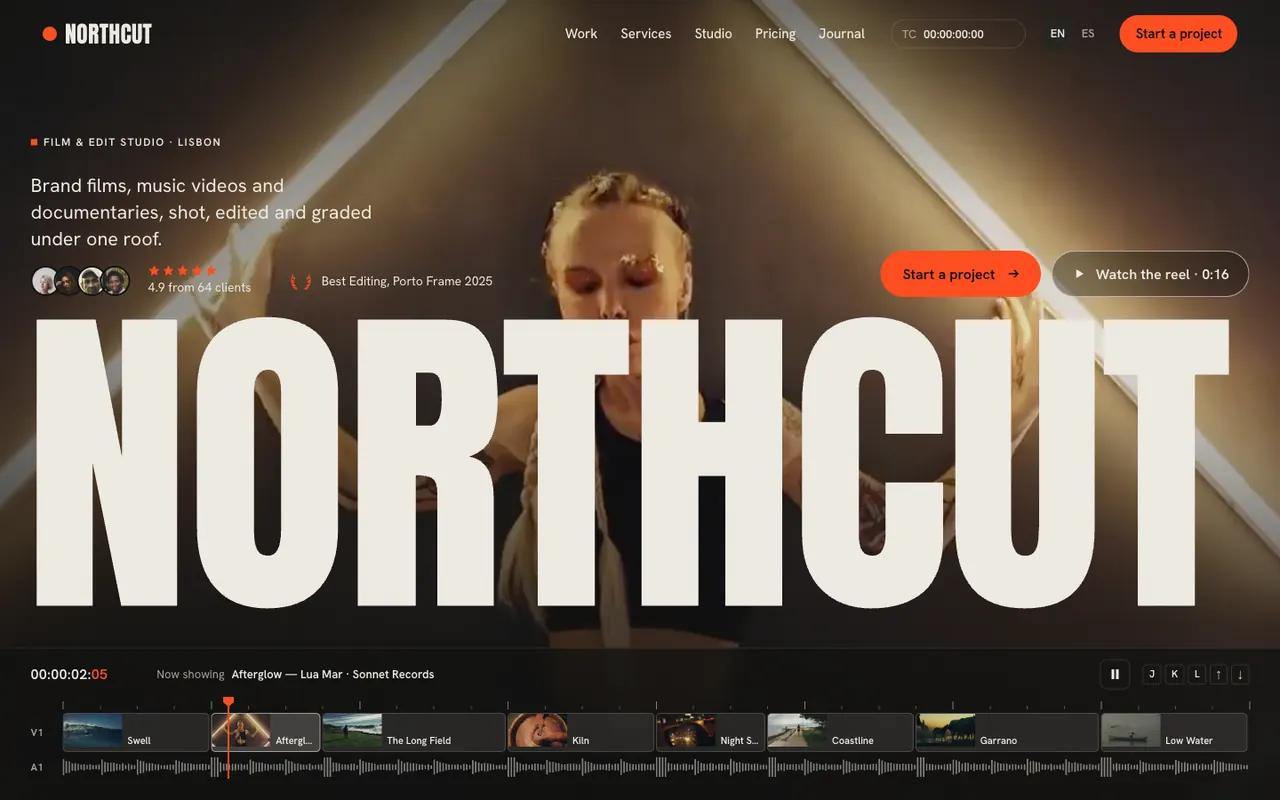
Filmmaker portfolios show the finished video, not the edit, which is the craft. Here the homepage reel is an editing timeline: one clip per project, the waveform with its beat grid below and a red playhead, with every cut landing on a beat.
Its own piece
The Cut
The hero reel as an edit timeline you can scrub with the mouse or editor keys, plus the page's own timecode in the header and its runtime in the footer.
- 01
Drag the playhead to scrub the real video, click a clip to jump to it, or use J K L and the arrow keys as in an editing suite.
- 02
The header shows the page's timecode: your scroll read as if the page were a film.
- 03
The 404 is the red «Media offline» screen editors see when a file is missing.
The folder
What you get
- 16 pages
- Home, About, Contact, FAQ, Journal, Post, Pricing, Project, Service, Services, Work, Help, Privacy, Licences, Style guide, 404.
- English and Spanish
- It switches language instantly, on the same pages.
- HTML, CSS and JavaScript
- Hand-written, with no build step and no dependencies. It publishes on any static host.
- Content apart from the design
- Projects, services, crew, clients, testimonials, journal posts and FAQs, plus reel.json with the clips, their in and out points and the BPM.
- 30 licensed photos
- Credited, under Unsplash License (27) and Pexels License (3); plus 9 video clips under the Pexels License.
- Documentation
- A guide to set it up, rebrand it and edit its content.
Before you decide
Questions
What do I get?
The whole website as a folder of hand-written HTML, CSS and JavaScript: every page in the demo (16 to 18), the English and Spanish versions, the content in data files, the fonts, and a guide to set it up, rebrand it and edit its content.
Do I need to know how to code?
Not to change texts, prices or photos: they live in data files, apart from the design, and the guide explains how to edit them. To change the layout you need to edit HTML and CSS, or we can do it for you.
Where can I publish it?
Anywhere that serves static files: Firebase, Netlify, Vercel, GitHub Pages, cPanel or your own server. There is no build step and no monthly platform fee.
Can I use it for a client?
Yes. One licence covers one website, yours or a client’s. For a second site you need a second licence.