CSS in 2026: container queries, :has(), nesting, and more

Originally published on Bemorex Learn, our learning platform. · Leer en español
CSS has evolved radically
The CSS landscape in 2026 is drastically different from just three years ago. Features that were impossible without JavaScript for decades are now solved with pure CSS. In this article we explore the most impactful new features and how you can start using them today in your projects.
Container Queries: component-based design
The problem they solve
Historically, media queries allowed us to adapt the design based on the browser window size. But in the era of reusable components, a single component can live in a narrow sidebar or in a wide main section. Media queries cannot solve this.
Container Queries allow a component to respond to the size of its parent container, not the window.
How they work
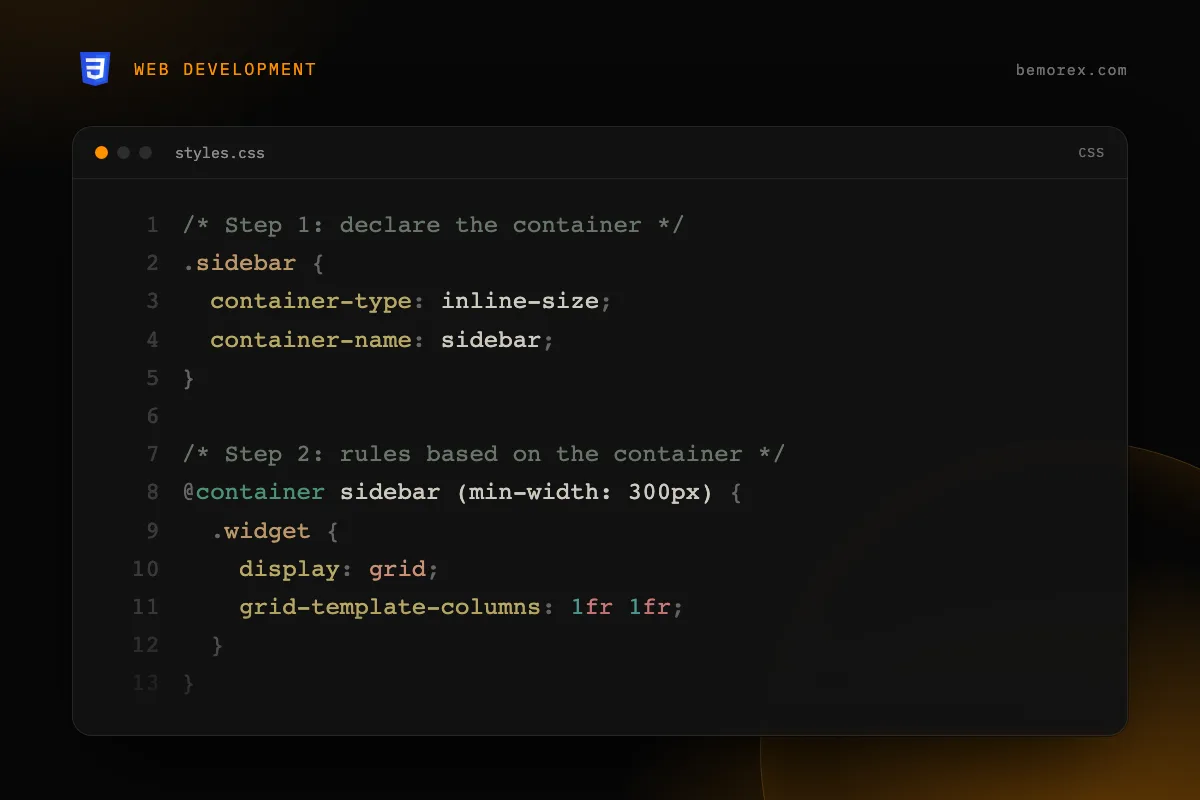
The process has two steps:
- Declare a container with
container-type - Use
@containerto define conditional rules
/* Step 1: declare the container */
.sidebar {
  container-type: inline-size;
  container-name: sidebar;
}

/* Step 2: rules based on the container */
@container sidebar (min-width: 300px) {
  .widget {
    display: grid;
    grid-template-columns: 1fr 1fr;
  }
}
container-type values
| Value | Behavior |
|---|---|
inline-size |
Responds to container width (the most common) |
size |
Responds to both width and height |
normal |
Does not establish containment (default value) |
Container Query Units
CSS also introduced container-relative units:
cqw- 1% of the container widthcqh- 1% of the container heightcqi- 1% of the container inline sizecqb- 1% of the container block size
.card-title {
  font-size: clamp(1rem, 4cqi, 2rem);
}
The :has() selector - CSS's "parent selector"
The :has() selector is possibly the most revolutionary addition to CSS in the last decade. It allows selecting an element based on its descendants or subsequent siblings.
Practical use cases
Interactive form without JavaScript:
/* Highlight the fieldset that contains a focused input */
fieldset:has(input:focus) {
  background: var(--surface-active);
  border-left: 3px solid var(--color-primary);
}

/* Visually disable a button if there are empty inputs */
form:has(input:placeholder-shown) .submit-btn {
  opacity: 0.5;
  pointer-events: none;
}
Conditional layout:
/* If main has an aside, use a two-column grid */
main:has(aside) {
  display: grid;
  grid-template-columns: 1fr 300px;
}

/* If there is no aside, a single column */
main:not(:has(aside)) {
  max-width: 65ch;
  margin-inline: auto;
}
Combining :has() with other pseudo-classes
/* Style a list only if it has more than 5 items */
ul:has(li:nth-child(6)) {
  columns: 2;
  column-gap: 2rem;
}
Native CSS Nesting
After years of depending on preprocessors like Sass, CSS now supports native nesting. This improves readability and reduces selector repetition.
Basic syntax
.card {
  padding: 1.5rem;
  border-radius: 0.75rem;

  .card-header {
    display: flex;
    align-items: center;
    gap: 0.5rem;
  }

  .card-body {
    margin-top: 1rem;
    line-height: 1.6;
  }

  &:hover {
    transform: translateY(-2px);
    box-shadow: 0 4px 12px rgb(0 0 0 / 10%);
  }

  @media (width < 768px) {
    padding: 1rem;
  }
}
Important nesting rules
- For type selectors (like
p,h2), you need to use&or be explicit with the context - Media queries can be nested directly
- The ampersand
&works the same as in Sass
.article {
  /* Correct - with & */
  & p {
    margin-bottom: 1rem;
  }

  /* Correct - class selector directly */
  .highlight {
    background: yellow;
  }
}
Subgrid: perfect alignment between parent and child
subgrid allows a child element to inherit grid lines from its parent. This solves one of the most frustrating Grid layout problems: aligning content between sibling cards.
.grid-layout {
  display: grid;
  grid-template-columns: repeat(3, 1fr);
  gap: 1.5rem;
}

.card {
  display: grid;
  grid-template-rows: subgrid;
  grid-row: span 3; /* header, body, footer */
}
With subgrid, all card headers, bodies, and footers align perfectly with each other, regardless of content length.
@scope: style encapsulation without Shadow DOM
The @scope rule allows limiting the scope of styles to a DOM subtree, with an optional lower boundary.
@scope (.card) to (.card-footer) {
  p {
    color: var(--text-secondary);
    line-height: 1.7;
  }

  a {
    color: var(--color-primary);
    text-decoration: underline;
  }
}
This applies styles only to p and a elements inside .card but outside .card-footer.
Current browser support
Most of these features have excellent support in 2026:
| Feature | Chrome | Firefox | Safari |
|---|---|---|---|
| Container Queries | 105+ | 110+ | 16+ |
| :has() | 105+ | 121+ | 15.4+ |
| CSS Nesting | 120+ | 117+ | 17.2+ |
| Subgrid | 117+ | 71+ | 16+ |
| @scope | 118+ | 128+ | 17.4+ |
Conclusion
CSS in 2026 is a completely different language from the CSS we knew five years ago. With container queries, :has(), native nesting, subgrid, and @scope, we can build more robust, more maintainable interfaces with less JavaScript dependency. The best time to adopt these features is now.
Code examples
CSS
.card-container {
  container-type: inline-size;
  container-name: card;
}

@container card (min-width: 400px) {
  .card {
    display: grid;
    grid-template-columns: 200px 1fr;
    gap: 1rem;
  }
}

@container card (max-width: 399px) {
  .card {
    display: flex;
    flex-direction: column;
  }
}
HTML
<div class="card-container">
  <article class="card">
    <img src="thumbnail.webp" alt="Article" />
    <div class="card-body">
      <h3>Article title</h3>
      <p>Short description of the content.</p>
    </div>
  </article>
</div>
CSS
/* Style a form when an input has focus */
form:has(input:focus) {
  border-color: var(--color-primary);
  box-shadow: 0 0 0 3px rgba(255, 196, 0, 0.2);
}

/* Style a card only if it has an image */
.card:has(img) {
  grid-template-rows: 200px auto;
}

/* Style a label when its input is invalid */
label:has(+ input:invalid) {
  color: var(--color-error);
}