Tailwind CSS v4: what changed and how to migrate

Originally published on Bemorex Learn, our learning platform. · Leer en español
Tailwind CSS v4: a complete rewrite
Tailwind CSS v4 is not an incremental update: it's a complete rewrite from scratch. The new engine, based on the Oxide project written in Rust, offers up to 10x faster compilation, native CSS configuration, and a model more aligned with web standards.
The main changes
1. Configuration in CSS, not JavaScript
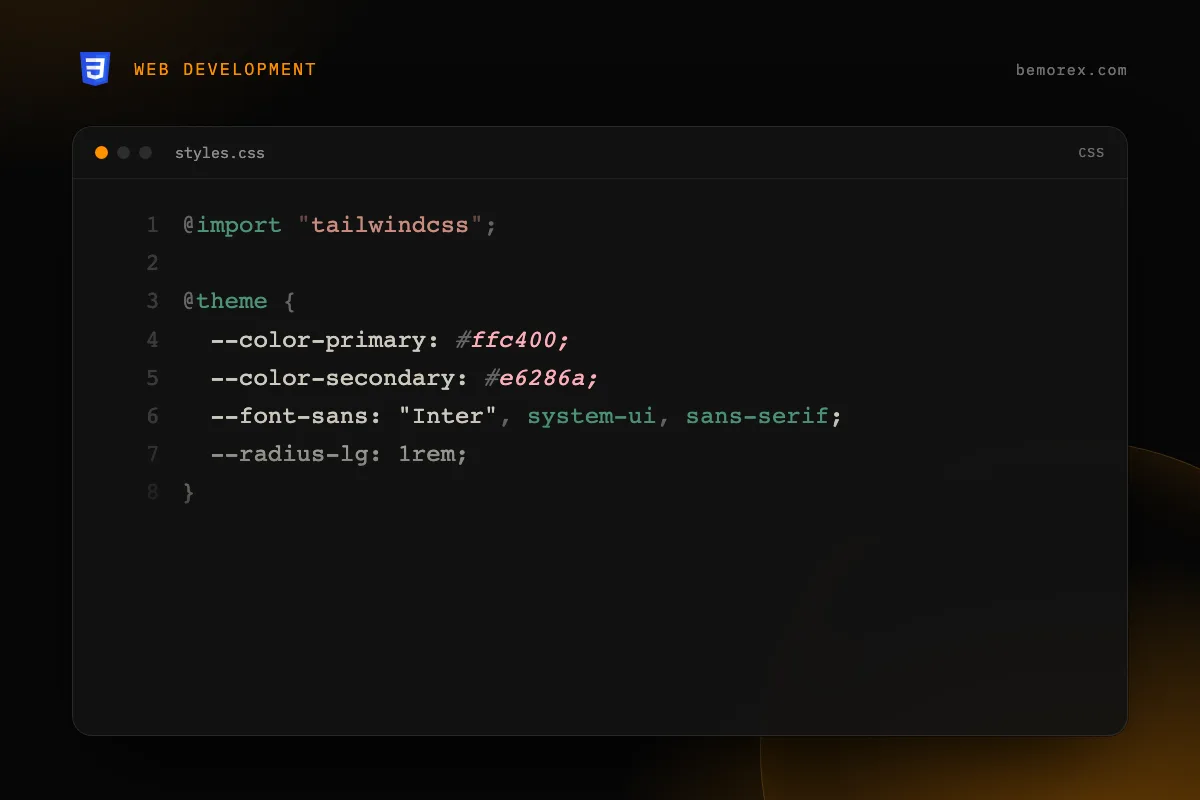
The most significant change is that configuration is done directly in CSS using the @theme directive, eliminating the tailwind.config.js file.
@import "tailwindcss";

@theme {
  --color-primary: #ffc400;
  --color-secondary: #e6286a;
  --font-sans: "Inter", system-ui, sans-serif;
  --radius-lg: 1rem;
}
This means:
- Your configuration is standard CSS
- Theme variables are real CSS custom properties
- You can access theme values from any CSS
2. Automatic content detection
In v3, you needed to manually configure the file paths to scan:
// v3 - manual configuration
content: ['./src/**/*.{html,ts,tsx}']
In v4, Tailwind automatically detects your project's files by analyzing the repository structure. You only need to exclude files if necessary:
/* v4 - optional exclusion */
@source not "./src/legacy/**";
3. CSS-first, not utility-first
Tailwind v4 relies more on native CSS. Many features that previously required special configuration now use CSS standards:
/* Theme variables are real CSS custom properties */
.custom-element {
  background: var(--color-primary);
  font-family: var(--font-sans);
  border-radius: var(--radius-lg);
}
New utilities and syntax
Native container queries
<!-- Define a container -->
<div class="@container">
  <!-- Respond to the container size -->
  <div class="@sm:grid @sm:grid-cols-2 @lg:grid-cols-3">
    <!-- content -->
  </div>
</div>
You can also name containers:
<div class="@container/sidebar">
  <div class="@sm/sidebar:flex @md/sidebar:grid">
    <!-- content -->
  </div>
</div>
Open field variants
<!-- Styles based on the state of child inputs -->
<fieldset class="has-[:focus]:ring-2 has-[:invalid]:border-red-500">
  <input type="email" required />
</fieldset>

<!-- not variant -->
<div class="not-[:first-child]:border-t">
  <!-- all except the first child get a top border -->
</div>
Improved gradients
<!-- oklch interpolation for more natural gradients -->
<div class="bg-linear-to-r/oklch from-blue-500 to-green-500">
  <!-- gradient with perceptual interpolation -->
</div>

<!-- Custom angles -->
<div class="bg-linear-[135deg] from-amber-400 to-rose-500">
  <!-- 135-degree gradient -->
</div>
3D transforms
<div class="rotate-x-45 rotate-y-12 perspective-800">
  <!-- Native 3D transforms -->
</div>
Syntax changes: v3 vs v4
| Concept | v3 | v4 |
|---|---|---|
| Main import | @tailwind base; @tailwind components; @tailwind utilities; |
@import "tailwindcss"; |
| Configuration | tailwind.config.js |
@theme { } in CSS |
| Custom colors | theme.extend.colors |
--color-* in @theme |
| Custom spacing | theme.extend.spacing |
--spacing-* in @theme |
| Custom breakpoints | theme.screens |
--breakpoint-* in @theme |
| Custom fonts | theme.fontFamily |
--font-* in @theme |
| Plugins | plugins: [require('...')] |
@plugin "..." in CSS |
| Container queries | Plugin required | Native with @container |
| Content paths | content: [...] |
Automatic detection |
Renamed utilities
Some utilities were renamed for consistency:
| v3 | v4 | Reason |
|---|---|---|
shadow-sm |
shadow-xs |
More logical scale |
shadow |
shadow-sm |
Consistency |
drop-shadow-sm |
drop-shadow-xs |
Same scale as shadow |
blur-sm |
blur-xs |
Consistency |
rounded-sm |
rounded-xs |
Same logic |
outline-none |
outline-hidden |
More descriptive |
ring |
ring-3 |
Explicit width |
flex-grow |
grow |
Simplification |
flex-shrink |
shrink |
Simplification |
bg-opacity-50 |
bg-black/50 |
Modifier syntax |
Step-by-step migration guide
Step 1: Update dependencies
# Install Tailwind v4
npm install tailwindcss@4

# For Angular, install the PostCSS plugin
npm install @tailwindcss/postcss@4
Step 2: Migrate the configuration
Replace tailwind.config.js with a @theme block in your main CSS:
/* src/styles.css */
@import "tailwindcss";

@theme {
  /* Move your custom colors */
  --color-brand: #ffc400;
  --color-brand-hover: #ff9100;

  /* Move your fonts */
  --font-sans: "Inter", system-ui, sans-serif;

  /* Move your breakpoints if you customized them */
  --breakpoint-sm: 40rem;
  --breakpoint-md: 48rem;
  --breakpoint-lg: 64rem;
}
Step 3: Use the automatic migration tool
Tailwind v4 includes a codemod for automatic migration:
npx @tailwindcss/upgrade
This command:
- Converts
tailwind.config.jsto@themein CSS - Renames deprecated utilities
- Updates the import syntax
- Migrates compatible plugins
Step 4: Update renamed classes
Search and replace classes that changed names. The codemod handles most of them, but verify manually:
# Find potentially obsolete classes
grep -r "shadow-sm\|rounded-sm\|blur-sm\|ring " src/
Step 5: Verify dark mode
/* v4 uses the media query by default */
/* To use a class instead, configure: */
@variant dark (&:where(.dark, .dark *));
Performance: the numbers
Tailwind v4's Oxide (Rust) engine offers dramatic improvements:
| Metric | v3 | v4 | Improvement |
|---|---|---|---|
| Full build | ~350ms | ~35ms | ~10x |
| Incremental build | ~180ms | ~8ms | ~22x |
| CSS size | Variable | Smaller | Better tree-shaking |
Conclusion
Tailwind CSS v4 is a generational leap. CSS-native configuration, automatic content detection, and the Oxide engine make the workflow faster and more natural. The automatic migration tool eases the transition, but take time to familiarize yourself with the new theme syntax and renamed utilities. If you're starting a new project, there's no reason not to use v4.
Code examples
CSS (v4)
/* tailwind.css - Configuration in pure CSS */
@import "tailwindcss";

@theme {
  --color-brand: #ffc400;
  --color-brand-dark: #ff9100;
  --color-surface: #0a0a0f;

  --font-display: "Inter", sans-serif;
  --font-mono: "Fira Code", monospace;

  --breakpoint-xs: 30rem;
  --breakpoint-sm: 40rem;
  --breakpoint-md: 48rem;
  --breakpoint-lg: 64rem;
  --breakpoint-xl: 80rem;

  --spacing-18: 4.5rem;
  --spacing-88: 22rem;
}
JavaScript (v3)
// tailwind.config.js - NO longer needed in v4
module.exports = {
  content: ['./src/**/*.{html,ts}'],
  theme: {
    extend: {
      colors: {
        brand: '#ffc400',
        'brand-dark': '#ff9100',
      },
      fontFamily: {
        display: ['Inter', 'sans-serif'],
        mono: ['Fira Code', 'monospace'],
      },
    },
  },
  plugins: [],
};